Welcome to Smart Home Forum by FIBARO
Dear Guest,
as you can notice parts of Smart Home Forum by FIBARO is not available for you. You have to register in order to view all content and post in our community. Don't worry! Registration is a simple free process that requires minimal information for you to sign up. Become a part of of Smart Home Forum by FIBARO by creating an account.
As a member you can:
- Start new topics and reply to others
- Follow topics and users to get email updates
- Get your own profile page and make new friends
- Send personal messages
- ... and learn a lot about our system!
Regards,
Smart Home Forum by FIBARO Team
Search the Community
Showing results for tags 'vd error checker 1.0'.
Found 1 result
-

[VD] - Checking for VD's that have stopped in error
AutoFrank posted a question in Scenes and Interface
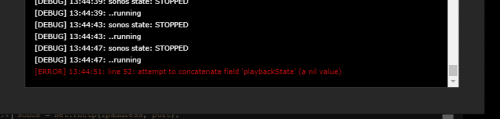
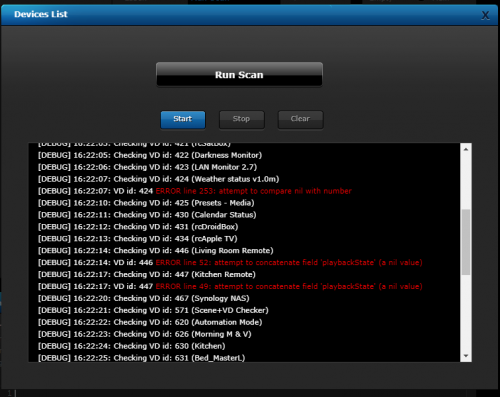
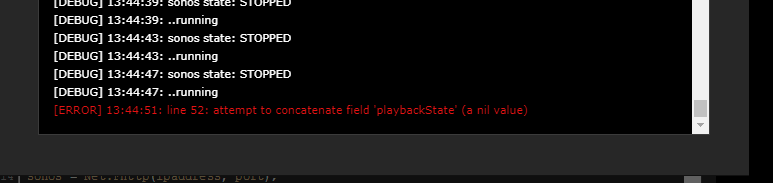
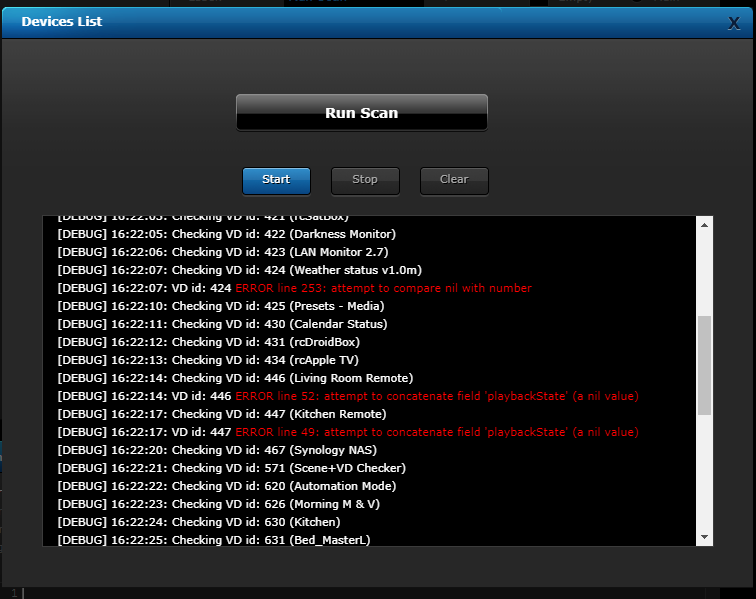
Hi, This may help weed out some bugs Occasionally I have a VD that stops or error out. This could apply to a Main Loop or a Button, It may be because a sensor has become unavailable and the code is trying to compare something to nil or blank, etc I know that if the code was written with a lot if resilience then this wouldn't happen but sometimes time or knowledge doesn't enable this to happen This would also be considered a way to find those corner cases and modify the code to handle these exceptions better A good example would be the following (sonos api was unavailable during a reboot) and it error out I have been modifying my code to handle these scenarios but haven't got around to all cases yet. If I save the VD, it will go away (as the api is back online) until the next time So I put this little VD together to scan all virtual devices on your system and report any that have stopped (at this moment it won't detect if it is main loop or a button so you'll just have to check then all for any VD that comes up red) The output is as follows You can see id 420 (Living room remote) that was the example above) and I found I had others as well but all opportunities to improve things. I have mine running daily with the output being sent to me through my message hub The VD code is as follows local device, localhost, port = fibaro:getSelfId(), '127.0.0.1', 11111 sc = Net.FHttp(localhost, port) response, error = sc:GET("/api/virtualDevices") if error == "200" or error == "201" then jS = json.decode(response) for k,v in pairs(jS) do fibaro:sleep(1000) Id, Name = v.id, v.name fibaro:debug("Checking VD id: "..Id.." ("..Name..")\n\n") sc = Net.FHttp(localhost, port) response, error = sc:GET("/api/virtualDevices/"..Id.."/debugMessages") if error == "200" or error == "201" then jW = json.decode(response) for k2,v2 in pairs(jW) do for k3,v3 in pairs(v2) do if v2.type == "ERROR" and k3 == "txt" then fibaro:debug("VD id: "..Id.." <font color=red>ERROR "..v2.txt.."</font>\n") fibaro:sleep(2000) end end end end end end I have also added the VD below to save you creating your own... INSTRUCTIONS Import the VD Open Debug Window for "Run Scan" and start the scan The report-out is in the debug window Lastly if you want to check that this is working them import the VD marked "deliberate error" and it will show up when you scan Enjoy VD_Error_Checker_1.0.vfib deliberate_error.vfib