Welcome to Smart Home Forum by FIBARO
Dear Guest,
as you can notice parts of Smart Home Forum by FIBARO is not available for you. You have to register in order to view all content and post in our community. Don't worry! Registration is a simple free process that requires minimal information for you to sign up. Become a part of of Smart Home Forum by FIBARO by creating an account.
As a member you can:
- Start new topics and reply to others
- Follow topics and users to get email updates
- Get your own profile page and make new friends
- Send personal messages
- ... and learn a lot about our system!
Regards,
Smart Home Forum by FIBARO Team
All Activity
- Today
-
I've tried it this way, and it's working: local QuickApp_trace = QuickApp.trace function QuickApp:trace(val1, ...) if val1 == "onAction: " then return end QuickApp_trace(self, val1, ...) end
-
I forgot the val1 in hub.trace(QUICKAPP..self.id,val1,...)
-
This is clearly not a 3rd-party device issue. It is a crash of the HC3 internal Zigbee coordinator. The fact that the "Reconfigure" button is grayed out in your own UI proves that the internal backend process is dead or unresponsive. Please escalate this ticket to the R&D. This is an internal firmware bug, not an external vendor issue. Regards
-
Thank you very much, of course it works! I can’t believe I didn’t think of such a simple idea. I was sure it was going through some internal hub mechanism, and yet here we are.
-
Redefine the trace function in your QuickApp: function QuickApp:trace(val1,...) if val1 ~= "onAction: " then hub.trace(QUICKAPP..self.id,...) end end
-
It is possible to make a slave HC2 and the master is HC2 also. can you please help me how to solve this.
-
 Esdeem joined the community
 -
Hi, Unfortunately, we are unable to resolve this issue on our side. This functionality relies on integrations and services provided by third-party vendors, and therefore its operation is outside of our direct control. As a result, we are unable to make changes to it or guarantee its proper functionality. Best regards
-
 mr.abdlhalim joined the community
 -
After upgrading to ZW engine 3.0, I cannot change param on other device by scene, like color of the ring on Scene Controller, not even able to turn it the backlight on/off from block scene. Only the options enable/disable local protections are shown. At least via LUA scene the parameter setting works, however it is very annoying to find out, how to call the parameters properly. Definitely UX fail.
-
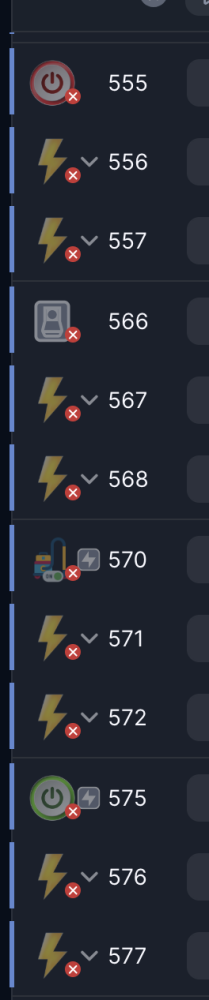
Currently, all actuators (switches, outlets) are offline. Surprisingly, the sensors have come back online. Unfortunately, the option to reconfigure all devices in the Zigbee settings is disabled (HC3). I have about 30 Zigbee devices. Manually adding everything again is pointless.


-
I am on 5.210.12 and have been for a few weeks. My Zigbee network is working just about the same as previous version. What issues are you seeing?
- Yesterday
-
However, after a few minutes, Zigbee also stopped working after the downgrade! Probably the same issue as: WHAT DID YOU GUYS DO!?
-
TRAGEDY! With this new update, you’ve completely broken Zigbee! The power-off workaround—doesn’t work. Soft reset—doesn’t work. Only rolling back to version “5.200.13” helped. On 5.210, Zigbee doesn’t work at all. What a piece of junk you’re releasing!
-
Hi vitruv, (1) correct, though there might be a range problem (2) correct, if you use the old bridge version (not the Pro one) and the Fibaro plugin.
-

FGS-213: Firmware Update 3.3 → 3.4 destroys device profile on HC3 / Yubii Home Pro
Vitruv replied to Vitruv's question in Home Center 3
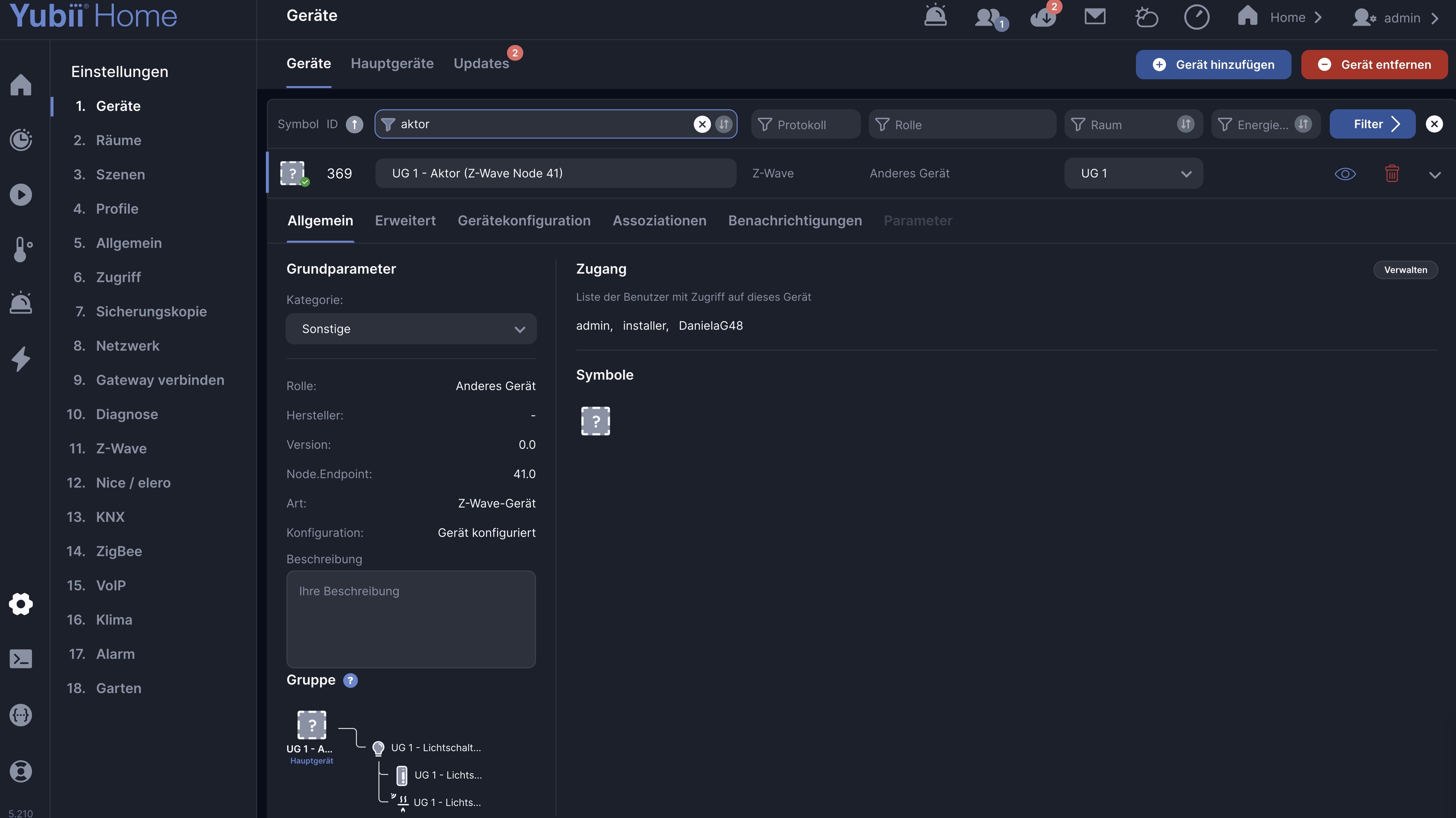
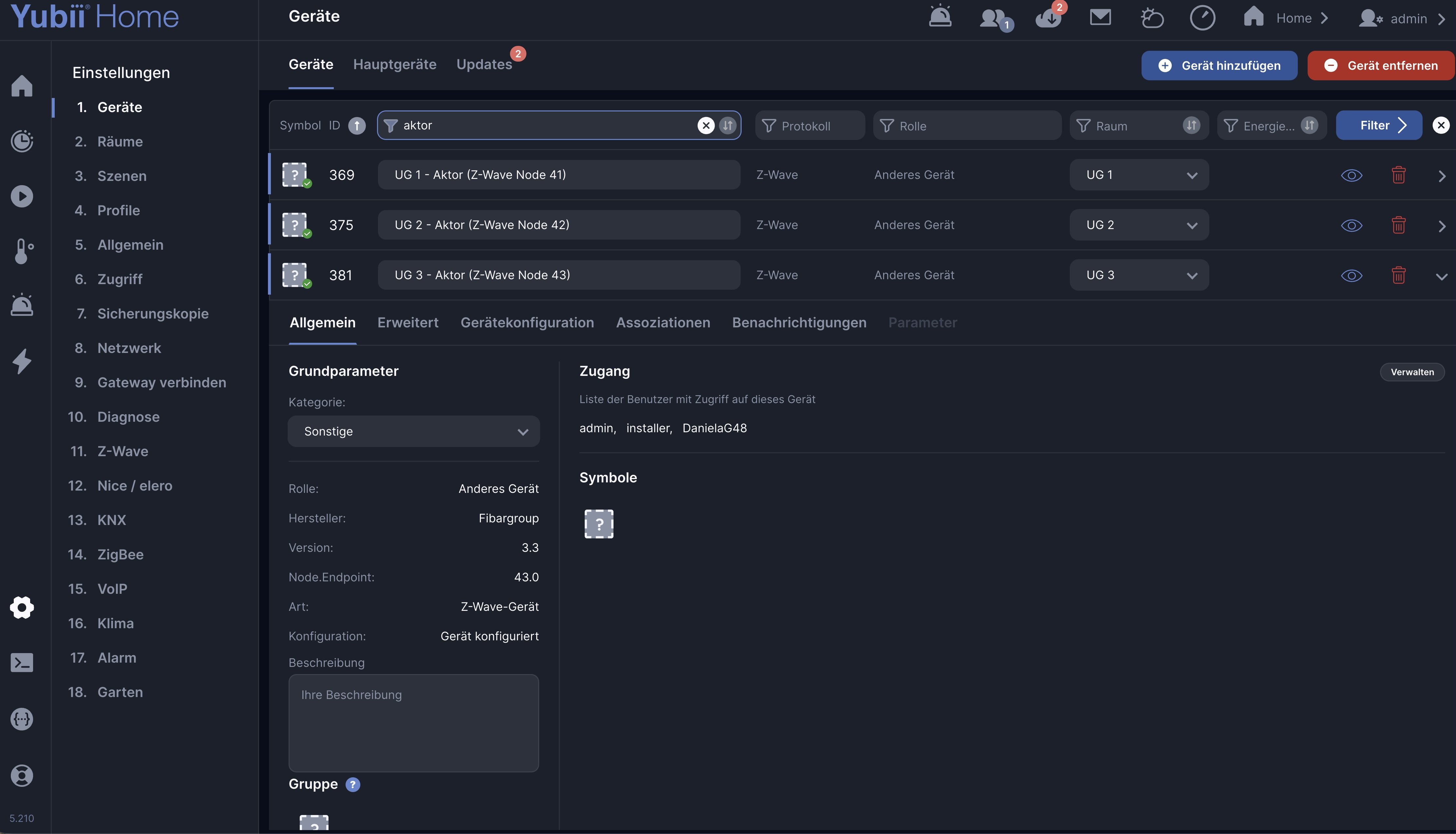
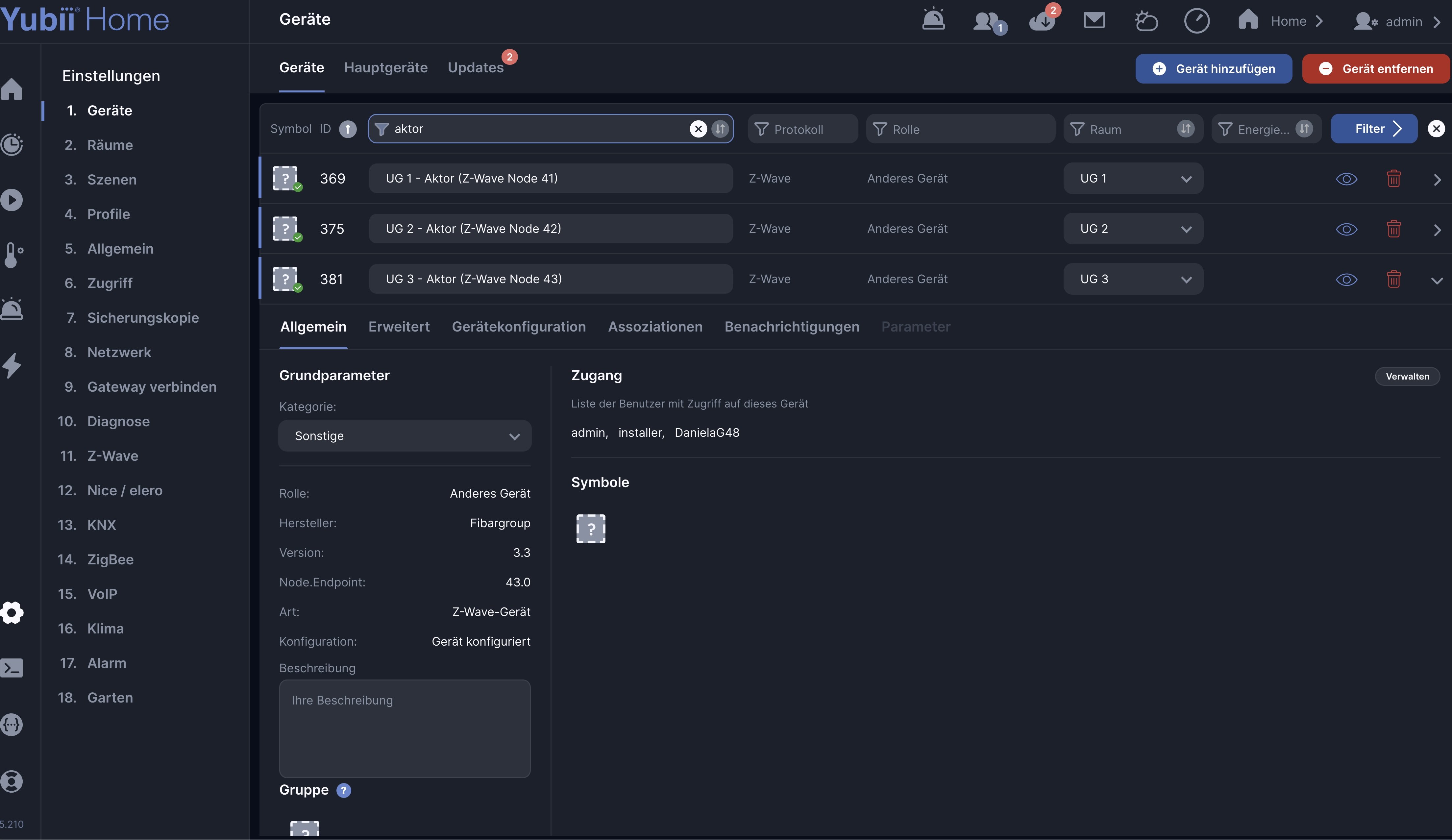
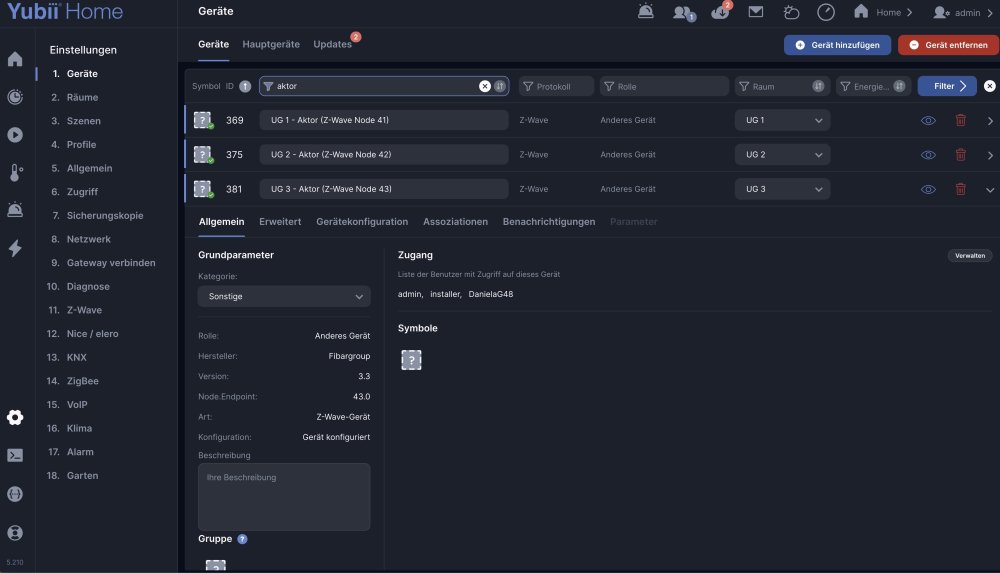
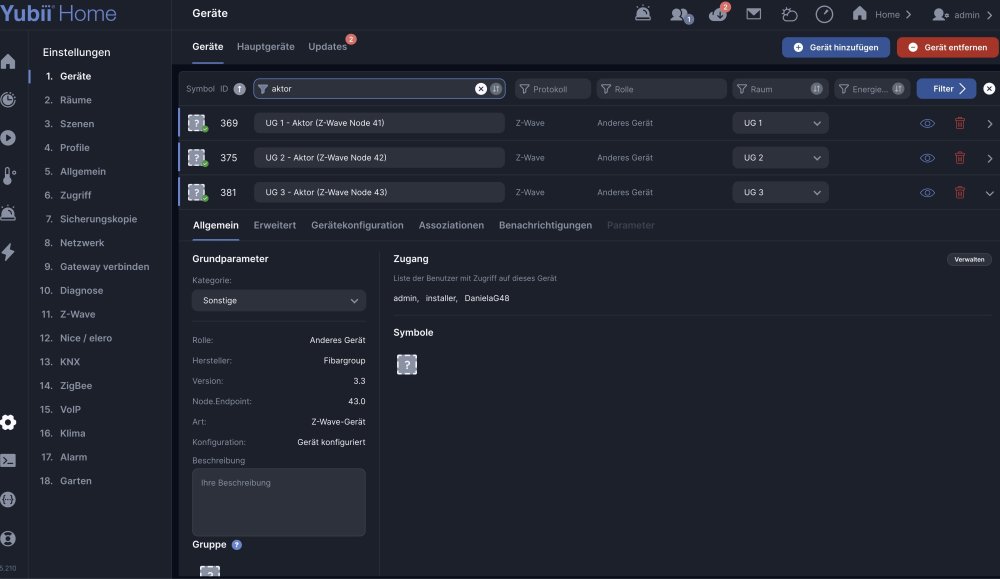
Here are the screenshots 1 = the one with updated Firmware 3.4 2 & 3 = Firmware 3.3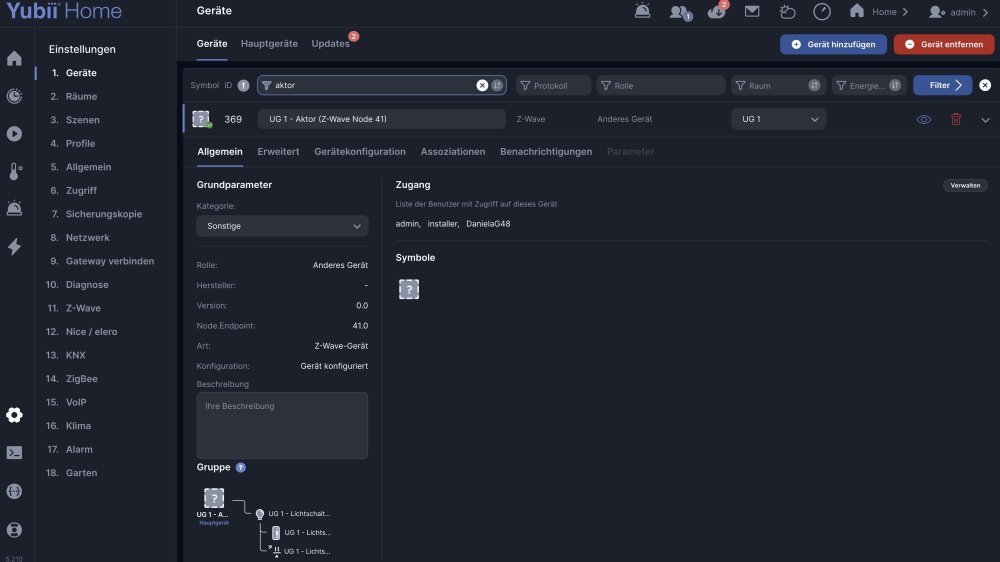
-
Good morning, I would like to ask whether it is possible to disable the generation of trace-type messages in the HC3 console. I do not mean filtering them out in the console, but preventing them from being generated at all. In particular, such messages are generated by api.post and hub.call, starting with "onAction = {...}", which is very inconvenient for me with the current architecture of my QuickApps. Perhaps it is possible to disable this for a specific application - that would be ideal. I remember that in posts about one of the firmware updates there was a mention of being able to limit or adjust the message level, but I cannot find it now.
-
 Irene joined the community
 -
I don't understand either, I didn't even suspect it at first. But when I reinstalled version 20.8, it worked again as before and everything is fine.
-
 applepie joined the community
 - Last week
-
Don't understand that, the Geofence code is exactly the same.
-
 Lech joined the community
 -
 Szotszabi joined the community
 -
Anders2b joined the community
-
 Vgantz joined the community
 -
Hi! I restored version 20.8 and it is working properly again. I use an Iphone 12 ProMax and an Iphone 16. Both had the same problem.
-
I have a basic beginner question and would appreciate if someone could confirm my understanding. As I understand it, there are currently at least two ways to integrate a Philips Hue LED light with Yubii Home Pro: Include the Hue light directly in Yubii Home Pro as a Zigbee device. In this case, only the basic functions are available. For example, I can switch the light on/off, dim it, and perhaps change colors, but I cannot access Hue-specific settings such as the power-on behavior (e.g., after a power outage, return to 25% brightness and blue color instead of 100% brightness and white). Use a Hue Bridge, include the Hue light in the Hue Bridge first, and then integrate the Hue Bridge with Yubii Home Pro. In this case, the full range of Hue functions and settings is available. At the moment, there is no way to access the full set of Hue functions by connecting the Hue light directly to Yubii Home Pro without a Hue Bridge. Have I understood this correctly? My particular requirement is to have the light return to a predefined favorite setting (for example, 25% brightness and blue color) after the power has been interrupted and restored. Thank you very much for your help.
-
I have no problems with geofencing with AOQ, using an iPhone 14 Pro.
-
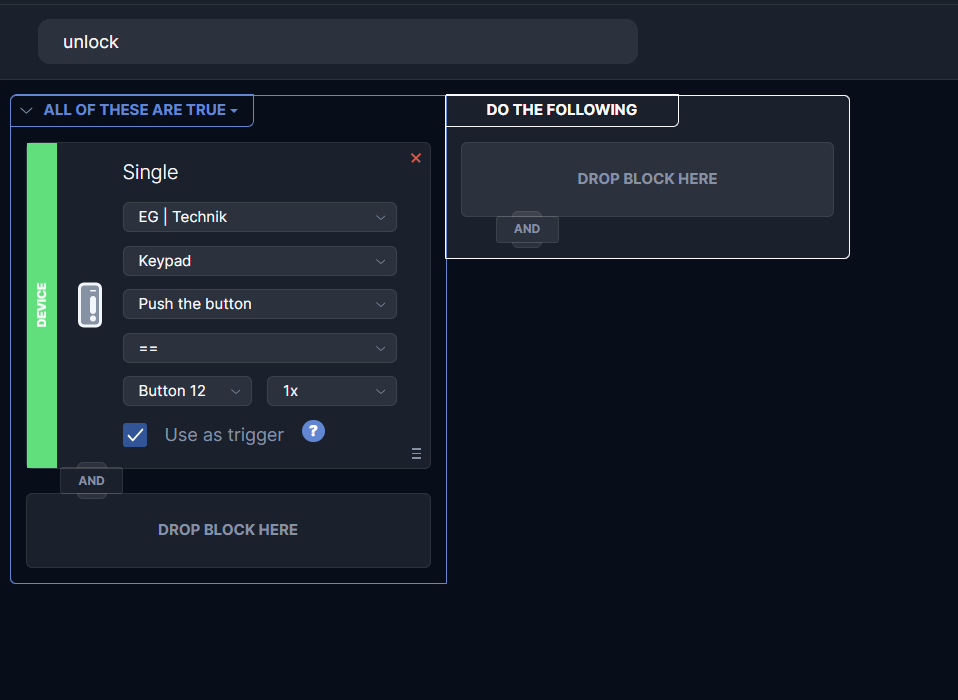
for now all you can do is: - send Fibaro coffee cup @m.roszak - switch back to ZW2 - change temporairy the way you using it, e.g. use the code still to unlock the panel, and then once unlocked two scenes to do something based on "user clicked on lock" and "user clicked on unlock". Lock key is 11, unlock is 12, e.g.
-
 Thank you for reporting this. We've forwarded your report to the appropriate department for review and analysis. If we need more information for analysis, we'll contact you via private message.
 -
The only reason would be that phones actually sends the events about arriving and leaving - and as we know, its a bit out of our hands - its based on the API of apple/google. I would try changing the radius definition of the point in location to something higher as a debug step.
-
 anrdili joined the community
 -
What version you've used before? If you rollback the previous version, is it works, OK? By the way I didn't change anything in the code. The geolocation trigger comes for mobile application, not generated by AOQ. In addition, I do have same issue. Interesting what Fibaro team has to say about it? @m.roszak any idea why it happens?
-
Good Evening I am writing to report a critical bug affecting the FGS-213 Single Switch 2 after updating its firmware from version 3.3 to 3.4 on a Yubii Home Pro hub running firmware 5.210.12. Environment: - Hub: Yubii Home Pro, firmware 5.210.12 - Device: Fibaro Single Switch 2 (FGS-213), 3 units installed - Z-Wave Engine: 3.0 (ZW3) Steps to reproduce: 1. Perform firmware update 3.3 → 3.4 via Settings → Devices → Updates 2. Update completes successfully (status: "Fertiggestellt" / Completed) 3. Click "Reconfigure device" ("Gerät neu konfigurieren") as suggested by the UI Observed behaviour: - After reconfiguration, the device's Parameter Template is set to "No" (Parametervorlage: Nein) - The Parameters tab in the device view becomes inaccessible - Z-Wave Type drops from 3 to 0, SDK Version drops from 4.24 to 0.0 - Each additional "Read configuration" click further degrades the device profile - Endpoint XX.1 (Binary Switch, the actual switching channel with energy metering) is permanently deleted from Yubii — not hidden, but fully removed - Endpoint XX.0 remains and can switch the load, but has no energy metering capability - Energy reporting (Watt / kWh) is permanently lost until a full Exclude + Include cycle is performed Important note: The "Reconfigure device" button appears directly in the Updates view after the firmware flash completes, with no warning that it may destroy the device profile. This makes it a high-risk trap for end users. Additionally, I observed that on two of the three units, the firmware update did not complete at all (devices remain on version 3.3), despite the update process appearing to run. Requests: 1. Is this is a known bug and do you know if a fix is planned? 2. Anyone knows whether there is a recovery path short of a full Exclude + Include cycle? I am happy to provide log files, device IDs, or further technical details if helpful. Thank you for your help.