Welcome to Smart Home Forum by FIBARO
Dear Guest,
as you can notice parts of Smart Home Forum by FIBARO is not available for you. You have to register in order to view all content and post in our community. Don't worry! Registration is a simple free process that requires minimal information for you to sign up. Become a part of of Smart Home Forum by FIBARO by creating an account.
As a member you can:
- Start new topics and reply to others
- Follow topics and users to get email updates
- Get your own profile page and make new friends
- Send personal messages
- ... and learn a lot about our system!
Regards,
Smart Home Forum by FIBARO Team
All Activity
- Today
-
Ah okay, thanks. I tried writing something based on what m.roszak proposed: I removed the device selection from the QA and hardcoded the devices instead, added a "Home_Presence" variable and a trigger counter block (useful for multiple manual activations—it caps at 2; does that make sense? Who knows!), and finally implemented dynamic icon switching. Everything works except the geofencing.☹️ The code comments are in Italian—please bear with me. They’re more for my own benefit than for yours, since you all know a lot more about this than I do.🤭 Geofence_iPhone_1147.fqa


-
Hi @GasDeKu, I'm referring to my own quick app. It will be available for download after I preform thorough testing.
-
The problem was identified and reported to the technical department.
-
 bartosdu joined the community
 -

Fibaro Home Centers unavailable
Support FIBARO replied to Bright SmartHome Solutions's topic in Update 5.210
Further discussion of the issue has been moved to a private channel. After identifying the cause or resolving the issue, the appropriate information will be published.- 1 reply
-
- 1
-

-
Thanks for the support. Which quick app are you referring to? I tried geofence_event.fqa and v2 but to no avail.
-

Smoke sensor FGSD -002 generate suddenly alarm
Alex replied to erik.o.rosen's question in Smoke Sensor
I have the same problems sometimes too. WHat I miss is haveing a notification in HC3 why this did occur? In my opinion it should be no problem if the code inside of the smoke sensor desiced to enable alarm having a message sent to the controller also including thew reaons for this alarm... But normally I do see nothing in the HC3 (no message, grpahs are looking fine and so on). -
@Support FIBARO, take a look at this please. It should report the hcName defined in the settigs of the hub, for some reason its being swapped with serial number as you report. I confirm on my system that it "reverts" to the serial number by itself - don't know the reason
-
 rostodd joined the community
 -
WiFi coffee maker is basically a smart machine you can control from your phone set timers, start brewing remotely, and get coffee ready when you need it
-
 bartq00 joined the community
 -
Hi @m.roszak, I use location panel to get location settings for my HC3 and I notice inconsistency in reporting HC3 name. Most of the time reported name is actually serial number of the HC3. After I changed name of my HC3, for some time this new given name was reported, but then after some time again serial number. Since in the returned json: [ { "id": 219, "name": "HC3-xxxxxxxxx", "latitude": 00.386733293331616, "longitude": 00.471836863604455, "radius": 150, "address": "Xxxxxxxx, Croatia", "created": 1783151231, "modified": 1783151231, "home": true } ] there is a "name" and not "serialNo", shouldn't actually contain user given name? Also, since users can add another location, what those other locations can be used for? I guess, I can add location of my work and then get triggers when I arrive at work?
-
swan joined the community
- Yesterday
-
 Akube joined the community
 -
 jerrysorokin2 joined the community
 -
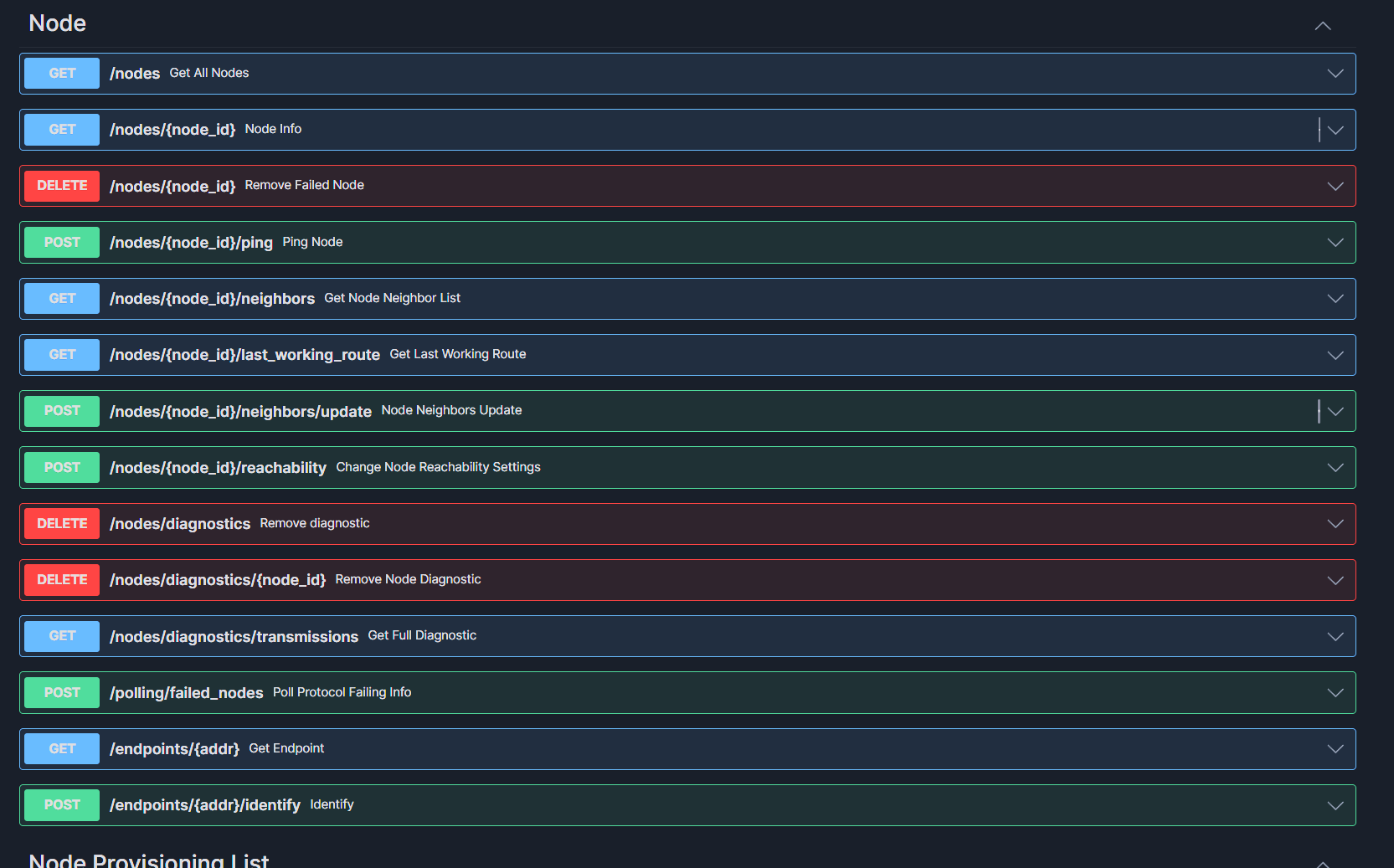
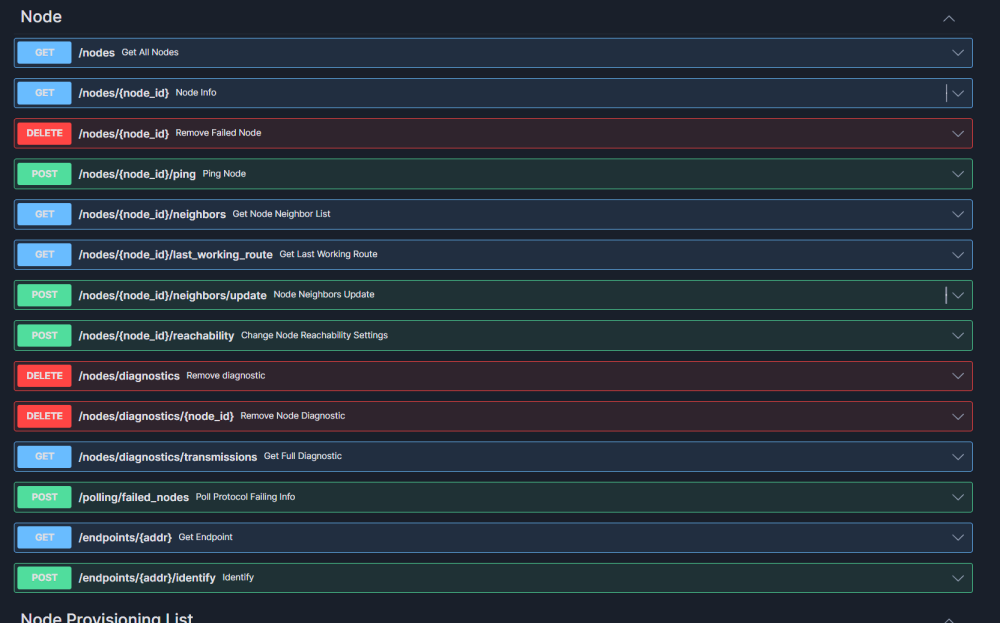
can do it with the swagger api I think:
-
Hi. How does the neighbor option look on a Z-Wave 3 engine? In the old version, you could refresh the neighbor list, but in Z-Wave 3 there's no such option... How does it work now if you want to move a device to another place? Will the device handle it on its own? Does it check neighbors on its own from time to time? Or do you have to manually add it again?
-

Aqara FP300 does not show occupancy
Sjakie replied to awlieser's question in Other Devices / Third-party devices
@m.roszak, Because there is no z-wave device with those options. Can you add this device FP300 Zigbee. It's a real game changer it has pir and mmWave. Tip if possible also the enter and leave option, what is missing in the FP1 Thanks in advance -
 tomsky_star joined the community
 -
Jeep joined the community
- Last week
-

Aqara FP300 does not show occupancy
MAC71 replied to awlieser's question in Other Devices / Third-party devices
That is going to be due to Fibaro's implementation of the Zigbee protocol. Not much you can do natively in HC3 - Zigbee devices either work or they don't. There are no editable parameters etc -

Aqara FP300 does not show occupancy
awlieser posted a question in Other Devices / Third-party devices
I‘ve included the Aquara FP300 zigbee occupancy sensor, but it only shows temperature, illuminance, but no occupancy - any ideas? Thanks! -
 Hdb40 joined the community
 -
Tedee Plugin stopped working
awlieser replied to awlieser's question in Other Devices / Third-party devices
I‘ve been a bit too hasty with my previous comment - the plugin is still not working 😟 -
Hello everyone, Yesterday and today i started seeing all my customer's and my own Fibaro Home Centers unavailable and in an inconsistent state. On my own i had to reverse to a previous backup and reverse version to 5.200. All my cstomer's Fibaro Home Centers are unavaible and would like to know if this an isolated case or not. Thank you.
-
jacques_h joined the community
-
Hi @GasDeKu, Geofencing on HC3 with Apple iPhones working flawlessly for me for two months now. I have made Quick app which listen to events received from iPhones and acts accordingly:
-
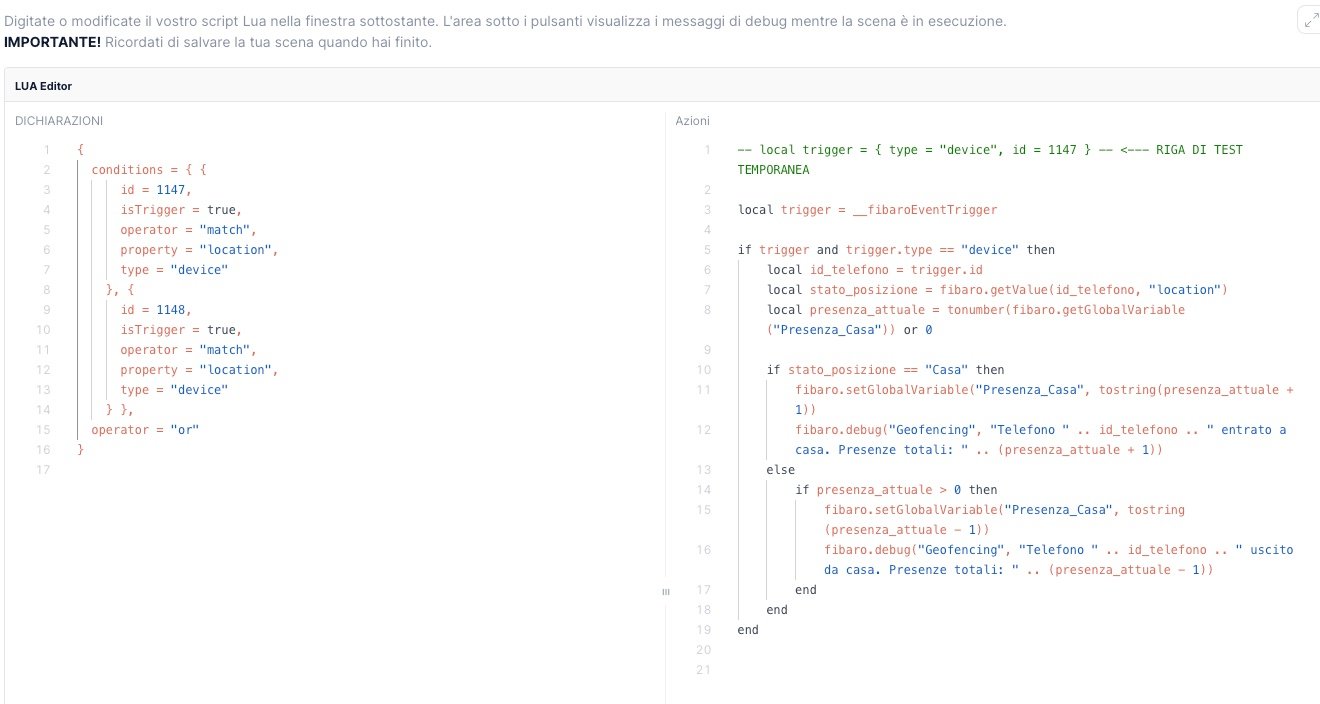
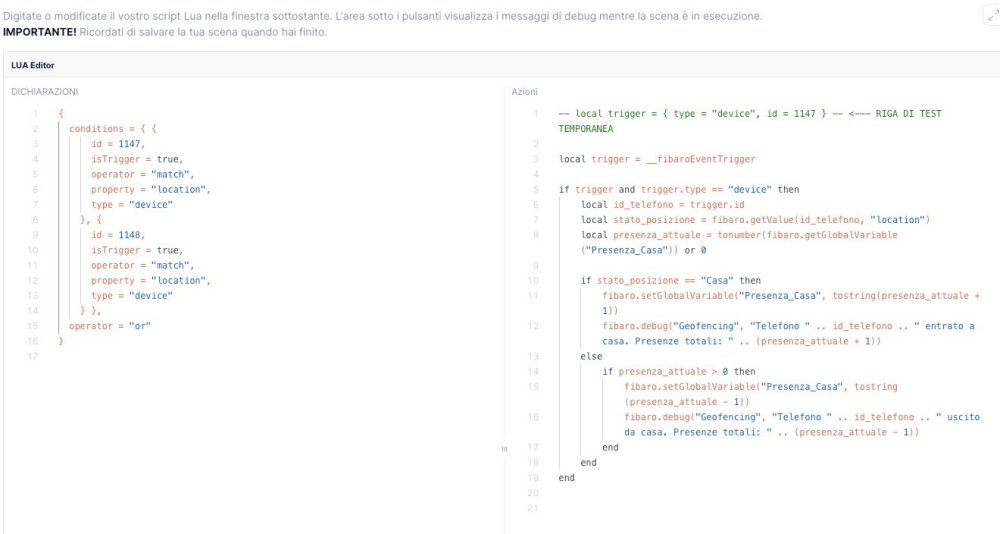
Hi everyone, I'm reviving the discussion because I thought hc3 was finally able to handle this damned geofencing, but at least for me, I just can't seem to figure it out. Since I'm completely new to LUA, I created a Presence_Home variable set to 0, followed by a phone tracking scene (two iPhone 16-inch models), and then two more block scenes to deactivate and reactivate the alarm. For the phone tracing scene, I relied on AI help because I don't have your expertise. The device ID numbers are those obtained from the yhubii user modification app. Until now, I've been using Google Home (with the Fibaro plugin) with a simple scene created in the app. Do you have any suggestions?
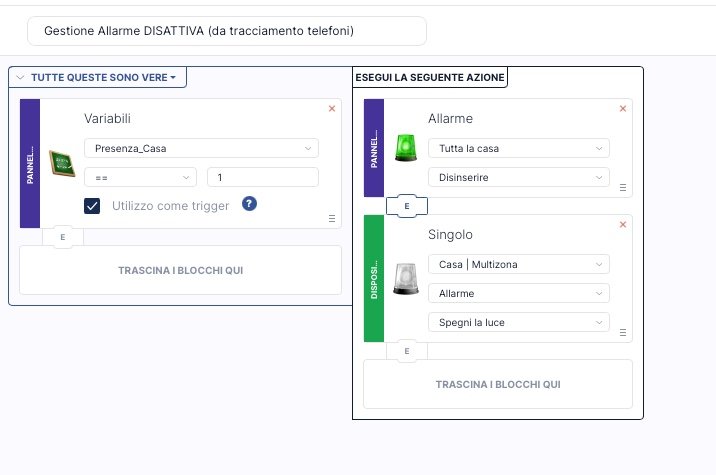
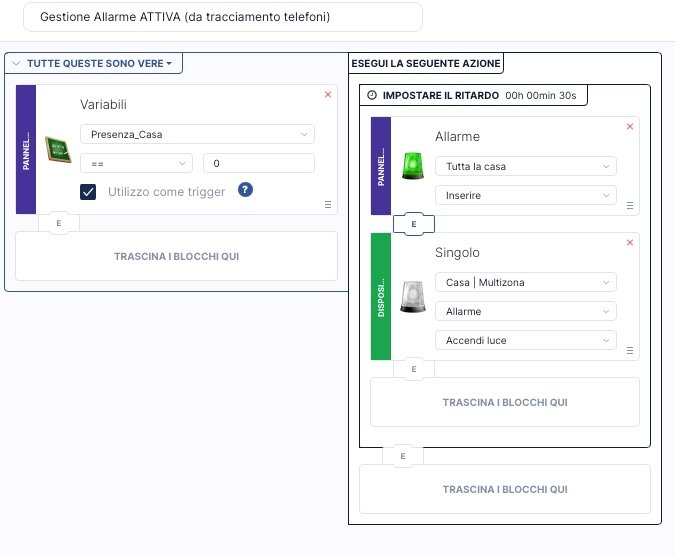
-
Please download and run to identify LQV and LQI. Will be helpful if you can post your table later.
-
Thanks. I think I followed the VSCode setup from github but tbh, was jumping around between this topic and github alot!
-

Hvordan overfører jeg fra home center 2 til home center 3 lite?
Vidar S posted a question in Home Center 3 Lite
Jeg har en eldre homecenter 2, har nå kjøpt en home fenter 3 lite, og ønsker å få overført mest mulig fra 2 til 3, hvordan gjør jeg det? -

YahueV2 (Yet another Hue app, using Hue API v2)
jgab replied to jgab's topic in Tutorials and Guides
But isn't stepValue the same as fibaro.call(id, "setValue", fibaro.getValue(id, "value")+5) ? -

HCL and Yubii Cycling Online/Offline on Remote Access: How to Fix
ikoots123 posted a question in Home Center Lite
Is there an issue with remote access at the moment? My HCL keeps cycling online and offline, and it hasn't stabilized yet. The same thing is happening with my Yubii. Sometimes, when the 'Open' button appears in remote access, it goes offline again as soon as I click it while loading -
**ZigBee devices completely unresponsive for 8+ hours — root cause confirmed: Lua scene sending hub.call() to ZigBee devices every 5 minutes via matchInterval** Firmware: 5.210.12 | Yubii Home Pro Posting this in case others are experiencing similar ZigBee instability — I've spent several days tracking this down and can confirm the root cause with reproducible evidence. --- **Symptoms** - 10 ZigBee dimmers (Simpex SC-9101, ZigBee 3.0) randomly unresponsive to app commands - turnOn / turnOff commands reach the hub immediately (confirmed via DeviceActionRanEvent in CSV export) but the physical device does not respond — no DevicePropertyUpdatedEvent follows - Workaround: moving the brightness slider (setValue) wakes the device up, after which on/off works again - Progressive degradation over several evenings: first delays of seconds to ~3 minutes, then complete loss of ZigBee communication for 8+ hours - Only a full hub reboot restored ZigBee communication - Physical device operation (rotary knob) worked perfectly throughout — devices themselves were fine --- **Root cause (confirmed by direct testing)** A Lua scene (matchInterval trigger, every 5 minutes, 24/7) was sending hub.call() commands to two SONOFF SWV irrigation valves — which are also ZigBee devices. This continuous ZigBee traffic progressively degraded the ZigBee stack on the hub until all other ZigBee devices became unreachable. Proof: deactivating that scene immediately resolved all ZigBee issues. All 10 dimmers have responded instantly and reliably ever since — no delays, no dropouts, tested including rapid successive commands. --- **Workaround implemented** Replaced the matchInterval trigger (288 calls/day) with a daily Cron trigger (1 call/day at 03:30). ZigBee traffic reduced to two brief pulses per day. Problem completely gone. --- **Open questions for Fibaro / community** 1. Is there a known minimum interval for hub.call() to ZigBee devices in Lua scenes? What polling frequency is safe? 2. Is this a regression in 5.210? The scene ran on an earlier firmware without causing ZigBee instability. 3. The "Reconfigure devices" button on Settings → ZigBee (Settings → 14. ZigBee) was greyed out / inactive throughout. What is the prerequisite to activate it? 4. Is there any ZigBee diagnostic view available (LQI, signal strength, routing/mesh map) in Yubii 5.210.12? I could not find one. --- Hope this helps others. Happy to share CSV event exports or Lua code if useful. Andrea
-
**ZigBee devices completely unresponsive for 8+ hours — root cause confirmed: Lua scene sending hub.call() to ZigBee devices every 5 minutes via matchInterval** Firmware: 5.210.12 | Yubii Home Pro Posting this in case others are experiencing similar ZigBee instability — I've spent several days tracking this down and can confirm the root cause with reproducible evidence. --- **Symptoms** - 10 ZigBee dimmers (Simpex SC-9101, ZigBee 3.0) randomly unresponsive to app commands - turnOn / turnOff commands reach the hub immediately (confirmed via DeviceActionRanEvent in CSV export) but the physical device does not respond — no DevicePropertyUpdatedEvent follows - Workaround: moving the brightness slider (setValue) wakes the device up, after which on/off works again - Progressive degradation over several evenings: first delays of seconds to ~3 minutes, then complete loss of ZigBee communication for 8+ hours - Only a full hub reboot restored ZigBee communication - Physical device operation (rotary knob) worked perfectly throughout — devices themselves were fine --- **Root cause (confirmed by direct testing)** A Lua scene (matchInterval trigger, every 5 minutes, 24/7) was sending hub.call() commands to two SONOFF SWV irrigation valves — which are also ZigBee devices. This continuous ZigBee traffic progressively degraded the ZigBee stack on the hub until all other ZigBee devices became unreachable. Proof: deactivating that scene immediately resolved all ZigBee issues. All 10 dimmers have responded instantly and reliably ever since — no delays, no dropouts, tested including rapid successive commands. --- **Workaround implemented** Replaced the matchInterval trigger (288 calls/day) with a daily Cron trigger (1 call/day at 03:30). ZigBee traffic reduced to two brief pulses per day. Problem completely gone. --- **Open questions for Fibaro / community** 1. Is there a known minimum interval for hub.call() to ZigBee devices in Lua scenes? What polling frequency is safe? 2. Is this a regression in 5.210? The scene ran on an earlier firmware without causing ZigBee instability. 3. The "Reconfigure devices" button on Settings → ZigBee (Settings → 14. ZigBee) was greyed out / inactive throughout. What is the prerequisite to activate it? 4. Is there any ZigBee diagnostic view available (LQI, signal strength, routing/mesh map) in Yubii 5.210.12? I could not find one. --- Hope this helps others.