
Welcome to Smart Home Forum by FIBARO
Dear Guest,
as you can notice parts of Smart Home Forum by FIBARO is not available for you. You have to register in order to view all content and post in our community. Don't worry! Registration is a simple free process that requires minimal information for you to sign up. Become a part of of Smart Home Forum by FIBARO by creating an account.
As a member you can:
- Start new topics and reply to others
- Follow topics and users to get email updates
- Get your own profile page and make new friends
- Send personal messages
- ... and learn a lot about our system!
Regards,
Smart Home Forum by FIBARO Team
Search the Community
Showing results for tags 'ie'.
Found 2 results
-
Version 4.0
753 downloads
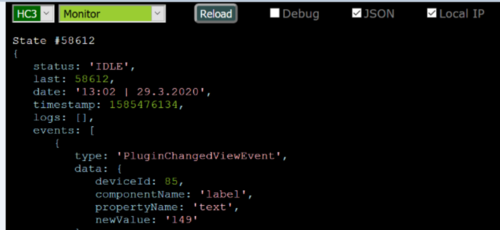
Purpose HC-WebEye is designed to enhance debugging for Fibaro smart home controllers (HC2 and HC3), especially when dealing with scenes that output HTML-formatted debug data. Since HC3 no longer supports HTML in its debugger, this tool provides a full-screen alternative for better visibility and interaction. 5.23.1🔧 Key Features Feature HC2 Support HC3 Support Notes Display scene debug info ✅ ✅ HC3 filters by tags/levels Start scene ✅ ✅ VD debug info & button press ✅ ❌ Global variable display ✅ ✅ QApp debug info ❌ ✅ Clears HC3 debugger window QApp variable display ❌ ✅ QApp toggle & button press ❌ ✅ Toggle switches ON/OFF 5.23.2🌐 Browser Compatibility Works with Firefox, Chrome, and Edge browsers Requires CORS to be disabled (a separate script is provided for that) Login Prompt You'll be asked to log in on first use. Credentials are not stored for security. Interface Flow Select controller (HC2 or HC3) Choose item type (Scene, VD, Variable, QuickApp) Pick specific item from list Press Reload to fetch debug info Optional: Check "debug" to view API commands 🧪 Interaction Examples Scene selected → “Start” button appears VD selected (HC2 only) → Button list + “Press” button QuickApp selected (HC3 only) → Button list + “Press” and “Toggle” buttons Variable selected → Current value displayed If you're planning to use this with advanced scenes like the All-in-One Scene /QA or Z-wave monitor, this tool is practically essential for visibility and control. -

Change admin login/password in ie11 shows blank screen only
kunoch posted a question in Home Center Lite
I just wanted to change the password for the admin (Configuration - Access Control - administrator - change e-mail and password) of my HCL and as usual i used internet explorer, mainly as in other threads it was recommended to be the fastest, clicking around in the different views of the HCL. Instead of showing the wizard I get a blank screen only (pale blue). When I do the same in Chrome or firefox the wizard shows up and all is fine. Yes, history deleted. anyone else facing the similar/same?

