Welcome to Smart Home Forum by FIBARO
Dear Guest,
as you can notice parts of Smart Home Forum by FIBARO is not available for you. You have to register in order to view all content and post in our community. Don't worry! Registration is a simple free process that requires minimal information for you to sign up. Become a part of of Smart Home Forum by FIBARO by creating an account.
As a member you can:
- Start new topics and reply to others
- Follow topics and users to get email updates
- Get your own profile page and make new friends
- Send personal messages
- ... and learn a lot about our system!
Regards,
Smart Home Forum by FIBARO Team
All Activity
- Past hour
-
**ZigBee devices completely unresponsive for 8+ hours — root cause confirmed: Lua scene sending hub.call() to ZigBee devices every 5 minutes via matchInterval** Firmware: 5.210.12 | Yubii Home Pro Posting this in case others are experiencing similar ZigBee instability — I've spent several days tracking this down and can confirm the root cause with reproducible evidence. --- **Symptoms** - 10 ZigBee dimmers (Simpex SC-9101, ZigBee 3.0) randomly unresponsive to app commands - turnOn / turnOff commands reach the hub immediately (confirmed via DeviceActionRanEvent in CSV export) but the physical device does not respond — no DevicePropertyUpdatedEvent follows - Workaround: moving the brightness slider (setValue) wakes the device up, after which on/off works again - Progressive degradation over several evenings: first delays of seconds to ~3 minutes, then complete loss of ZigBee communication for 8+ hours - Only a full hub reboot restored ZigBee communication - Physical device operation (rotary knob) worked perfectly throughout — devices themselves were fine --- **Root cause (confirmed by direct testing)** A Lua scene (matchInterval trigger, every 5 minutes, 24/7) was sending hub.call() commands to two SONOFF SWV irrigation valves — which are also ZigBee devices. This continuous ZigBee traffic progressively degraded the ZigBee stack on the hub until all other ZigBee devices became unreachable. Proof: deactivating that scene immediately resolved all ZigBee issues. All 10 dimmers have responded instantly and reliably ever since — no delays, no dropouts, tested including rapid successive commands. --- **Workaround implemented** Replaced the matchInterval trigger (288 calls/day) with a daily Cron trigger (1 call/day at 03:30). ZigBee traffic reduced to two brief pulses per day. Problem completely gone. --- **Open questions for Fibaro / community** 1. Is there a known minimum interval for hub.call() to ZigBee devices in Lua scenes? What polling frequency is safe? 2. Is this a regression in 5.210? The scene ran on an earlier firmware without causing ZigBee instability. 3. The "Reconfigure devices" button on Settings → ZigBee (Settings → 14. ZigBee) was greyed out / inactive throughout. What is the prerequisite to activate it? 4. Is there any ZigBee diagnostic view available (LQI, signal strength, routing/mesh map) in Yubii 5.210.12? I could not find one. --- Hope this helps others. Happy to share CSV event exports or Lua code if useful. Andrea
- Today
-
**ZigBee devices completely unresponsive for 8+ hours — root cause confirmed: Lua scene sending hub.call() to ZigBee devices every 5 minutes via matchInterval** Firmware: 5.210.12 | Yubii Home Pro Posting this in case others are experiencing similar ZigBee instability — I've spent several days tracking this down and can confirm the root cause with reproducible evidence. --- **Symptoms** - 10 ZigBee dimmers (Simpex SC-9101, ZigBee 3.0) randomly unresponsive to app commands - turnOn / turnOff commands reach the hub immediately (confirmed via DeviceActionRanEvent in CSV export) but the physical device does not respond — no DevicePropertyUpdatedEvent follows - Workaround: moving the brightness slider (setValue) wakes the device up, after which on/off works again - Progressive degradation over several evenings: first delays of seconds to ~3 minutes, then complete loss of ZigBee communication for 8+ hours - Only a full hub reboot restored ZigBee communication - Physical device operation (rotary knob) worked perfectly throughout — devices themselves were fine --- **Root cause (confirmed by direct testing)** A Lua scene (matchInterval trigger, every 5 minutes, 24/7) was sending hub.call() commands to two SONOFF SWV irrigation valves — which are also ZigBee devices. This continuous ZigBee traffic progressively degraded the ZigBee stack on the hub until all other ZigBee devices became unreachable. Proof: deactivating that scene immediately resolved all ZigBee issues. All 10 dimmers have responded instantly and reliably ever since — no delays, no dropouts, tested including rapid successive commands. --- **Workaround implemented** Replaced the matchInterval trigger (288 calls/day) with a daily Cron trigger (1 call/day at 03:30). ZigBee traffic reduced to two brief pulses per day. Problem completely gone. --- **Open questions for Fibaro / community** 1. Is there a known minimum interval for hub.call() to ZigBee devices in Lua scenes? What polling frequency is safe? 2. Is this a regression in 5.210? The scene ran on an earlier firmware without causing ZigBee instability. 3. The "Reconfigure devices" button on Settings → ZigBee (Settings → 14. ZigBee) was greyed out / inactive throughout. What is the prerequisite to activate it? 4. Is there any ZigBee diagnostic view available (LQI, signal strength, routing/mesh map) in Yubii 5.210.12? I could not find one. --- Hope this helps others.
-
The cmd line flag for plua to run a tool is -t (or --tool) { "label": "Plua, Download and unpack from HC3", "type": "shell", "command": "plua", "args": [ "--tool", "downloadQA", "${input:QA_id}", "${input:path_id}", ], "group": "build" } ], "inputs": [ { "type": "promptString", "id": "QA_id", "description": "deviceId of QA from HC3 you want to download?", "default": "-" }, { "type": "promptString", "id": "path_id", "description": "path where to store the QA", "default": "dev" } ]
-
It's a pip error that the pip install cache was somehow corrupt However, it successfully installed plua-1.2.13 at the end so it should work. scoop installation of python keeps the cache under scopes somewhere... You can try >pip cache purge
-

zigbee List of Zigbee devices - users for users
Vitruv replied to K.Drozynski's question in Other Devices / Third-party devices
Now is 2026 and still Beta Would be very helpful to have full zigbee capability. Thank you - Yesterday
-
I'm not able to import an existing QA, command line of via VSCode Task.
-
Installed successfuly but I have at start this WARNING: PS C:\Users\bruvi> pip install plua -U Requirement already satisfied: plua in .\scoop\apps\python\current\Lib\site-packages (1.3.11) WARNING: Cache entry deserialization failed, entry ignored Collecting plua ---/--- Installing collected packages: plua Attempting uninstall: plua Found existing installation: plua 1.3.11 Uninstalling plua-1.3.11: Successfully uninstalled plua-1.3.11 Successfully installed plua-1.3.13 Any idea why or where is the issue?
-
 lightsystem joined the community
 -

Tedee Plugin stopped working
awlieser replied to awlieser's question in Other Devices / Third-party devices
I‘ve deleted and re-installed the plugin - now it‘s working again! Don‘t know what failed in the first place … -
Indeed, some issue with the onClock=true. Meanwhile remove onClock=true. Should work while fixing the bug
-

YahueV2 (Yet another Hue app, using Hue API v2)
ChristianSogaard replied to jgab's topic in Tutorials and Guides
Hi Jan, Thank you for the detailed update. For the step-dimming API, I would prefer the Fibaro-style approach: `fibaro.call(id, "stepValue", 5)` `fibaro.call(id, "stepValue", -5)` The keypad/controller should handle hold-repeat timing, so I do not think Yahue needs an internal `diminterval` repeat function. Regarding stopLevelChange, I have not identified a specific failure pattern. My main focus is ensuring reliable interoperability between EV7 and Yahue, so EV7’s level-change and stop behaviour maps cleanly to Hue’s native dimming_delta commands. The capabilities variable and the scene-stepping additions also look good. My immediate focus has unfortunately shifted. My HC3 entered recovery mode twice, and I spent nearly two weeks with Fibaro Support trying to identify the cause and prevent it from happening again. I have now given up on that support process and decided to start over instead. Fortunately, I had saved a substantial part of my rules on my Mac, so migrating the logic to EV7 should be much easier. Best regards, Christian -
Hi @cag014, Using v22.0: {5,"943",{state="value=false", onClock=true, initOnStartup=false, timeLoopAct={{"945","turnOn"}, {"945","turnOff",30}}}}, produces a timeloop while state="false": It does not matter if state = "false"or "true", the looping is going on. This should be different according to the Advanced User Manual.

-
Working, thanks!!
-
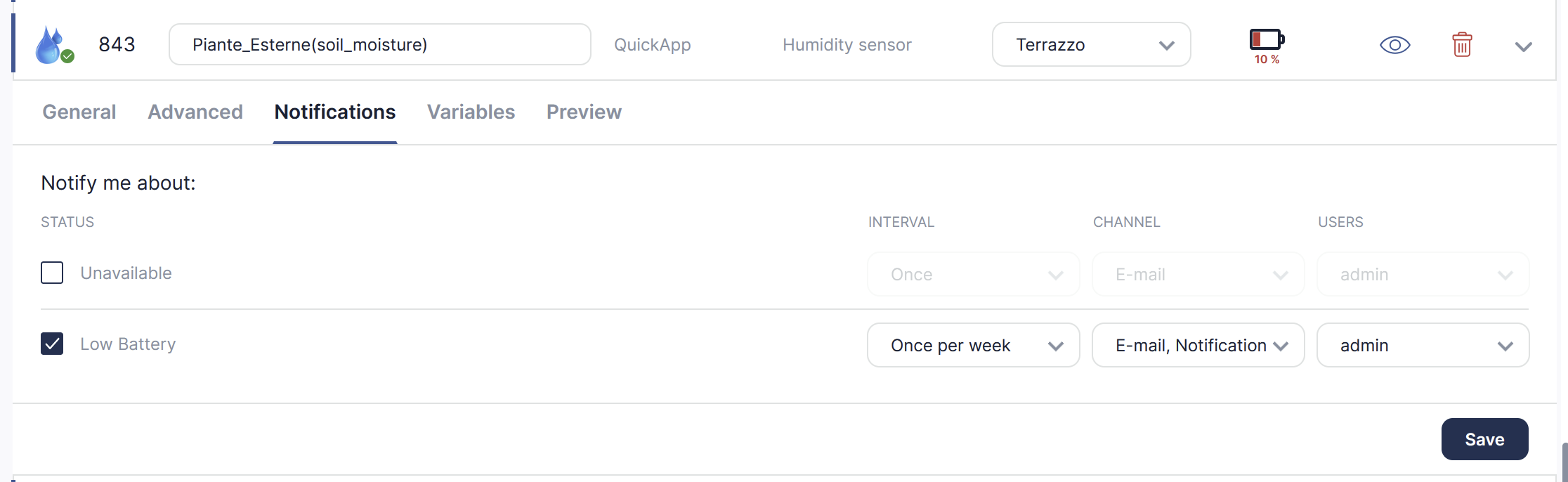
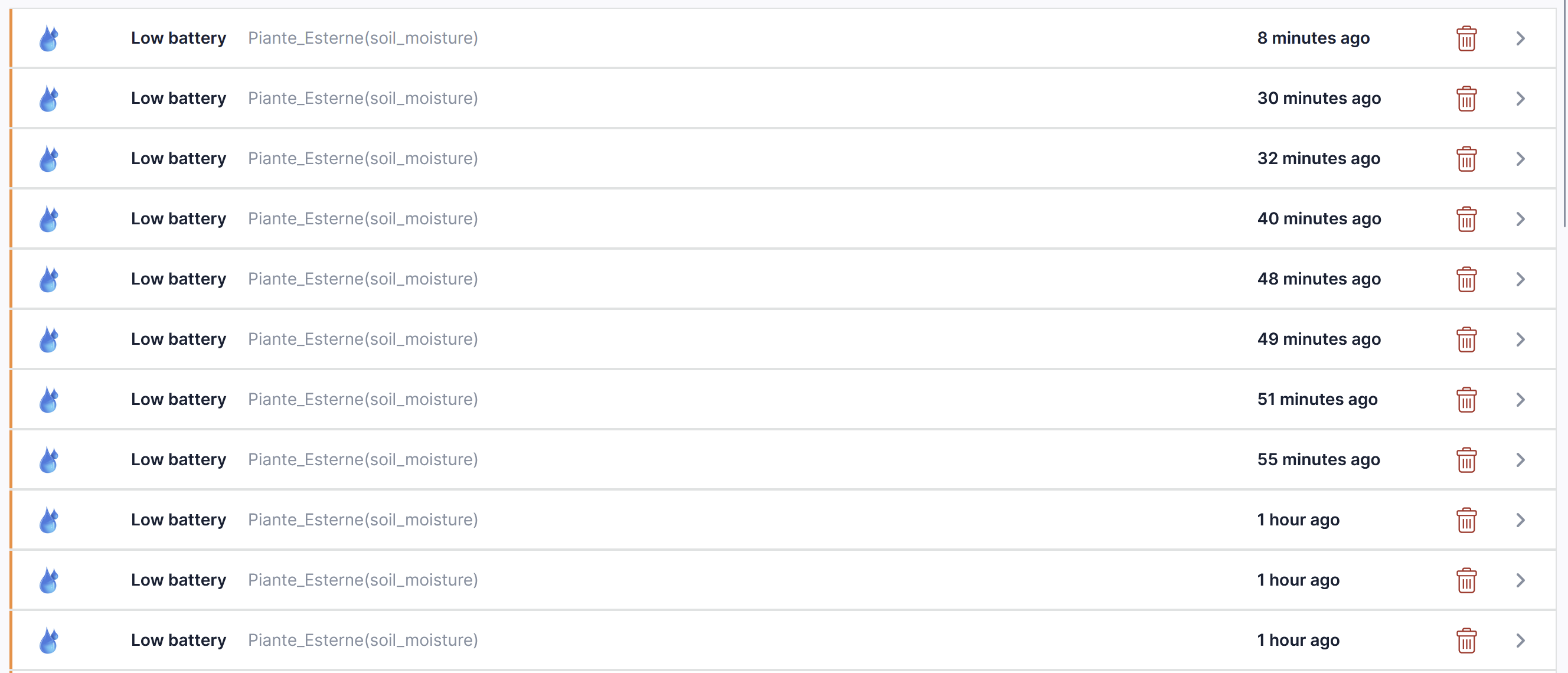
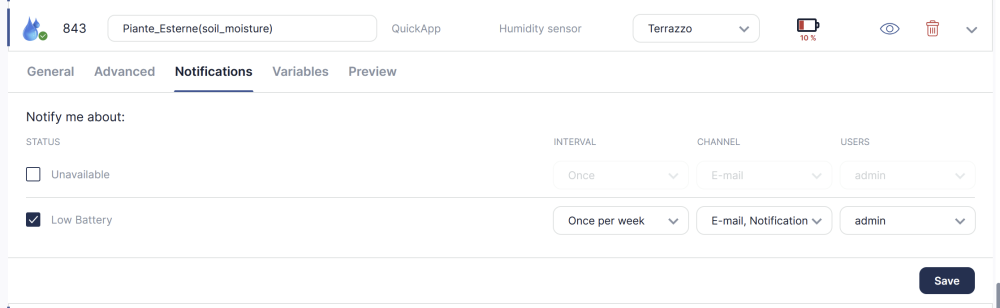
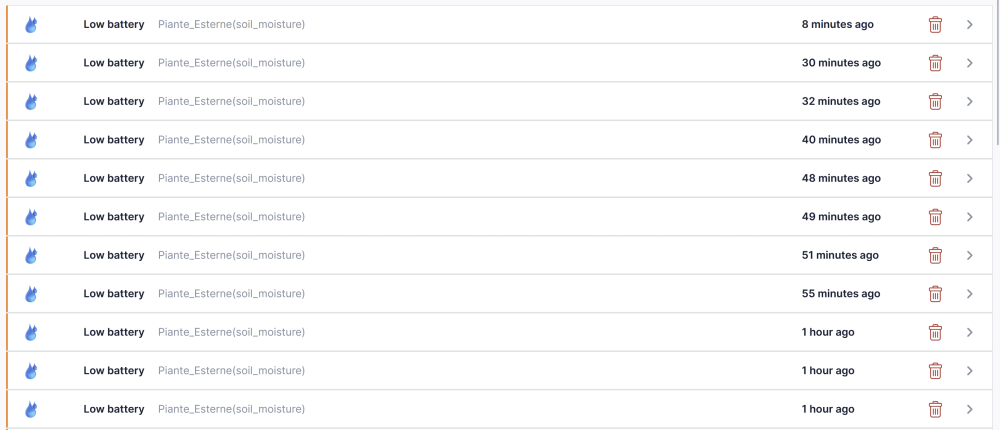
Are you sure that battery level is not jumping above and below the threshold? Once a week will work if its stays below the threshold.
-
 DardK joined the community
 -
 tomad joined the community
 -
Well, there was no command to kill other rules. You could use disable but then you need to enable it afterwards, easy to forget. So, in v0.1.48 there is a terminate property on defined rules. rule("licht_show == false => licht_show_rule.terminate(); media.Licht_Show:off") var.licht_show_rule = rule([[licht_show == true => fibaro.call(media.Licht_Show,"turnOn","Singapore"); log.dodgerblue('>>>>>>>>>>>> Licht_Show scene >>> Singapore'); wait(00:03:02); fibaro.call(media.Licht_Show,"turnOn","Disturbia"); log.dodgerblue('>>>>>>>>>>>> Licht_Show scene >>> Disturbia'); wait(00:03:02); :
- 390 replies
-
- 1
-

-
- rule engine
- automation
- (and 4 more)
-
I want to stop or kill the rule if it's running by nightfall
-
.mode("killOthers") is changed in ER7. Now we write rule("<cond> single => <action>") https://forum.fibaro.com/topic/79165-eventrunner-67/page/14/#findComment-297165 However, it only affect rules that "pause" or post future events t, so I don't know what you are trying to achieve here? rule("licht_show == false => media.Licht_Show:off").mode("killOthers") does nothing of that and will not benefit from the "single" modifier. Are you trying to disable the rule?
- Last week
-
 rr1960 joined the community
 -
Jan how to kill this rule? Or do I need to create something else? rule("licht_show == false => media.Licht_Show:off").mode("killOthers") rule([[licht_show == true => fibaro.call(media.Licht_Show,"turnOn","Singapore"); log.dodgerblue('>>>>>>>>>>>> Licht_Show scene >>> Singapore'); wait(00:03:02); fibaro.call(media.Licht_Show,"turnOn","Disturbia"); log.dodgerblue('>>>>>>>>>>>> Licht_Show scene >>> Disturbia'); wait(00:03:02); and so one with 30 lines
-
 HCHviper joined the community
 -
 Tom4711 joined the community
 -
1.3.13 looking good, thank you 👍
-
Ah, there may have been an error in tools.lua, if you run Lua 5.4. Try plua v1.3.13
-
It seems like plua is not correctly installed, some files like tools.lua (used by diagnostics) is missing. Try to do pip install --force-reinstall plua and then check if tools.lua is there Something like type "C:\Users\mss\AppData\Local\Programs\Python\Python313\Lib\site-packages\lua\fibaro\tools.lua"
-

Unable to update from 5.202.54 (beta) to 5.210.12
Support FIBARO replied to Maniek_mi20's topic in Update 5.210
Hi @Maniek_mi20 Are you perhaps experiencing internet issues in your location? This error clearly indicates that there's a problem with the proper download of the installation package, which is why it can't install it... -
Hi guys, I have a quick app with several children. Notification rules seems not to be respected. But I got tons of notifications. Available to send logs if needed Raffaele
-
 a58HAF4JcdUL7a67 joined the community
 -
New version (v1.22) of the CTS700 QuickApp is now available. What's new: Bug fix: set_value() called from external scenes or QuickApps now correctly writes to the pump. If you are controlling your Nilan from custom automations, this update is essential. Full variable reference is now available on my website — check which variables you can read and write from your scenes. As always, the CTS602 and Pego EasySteam QuickApps are also available. Nilan_HVAC_-_CTS700_-_v1.22.fqax
-
 Oliver Bernecker joined the community
 -
@jgab please tell me what stupid thing I'm doing wrong. Running this from vscode terminal, project has .env file in root with the four required entries, checked and double checked.
-
 emkolhai joined the community
 -
 Kesok joined the community
 -
Welcome !