
Welcome to Smart Home Forum by FIBARO
Dear Guest,
as you can notice parts of Smart Home Forum by FIBARO is not available for you. You have to register in order to view all content and post in our community. Don't worry! Registration is a simple free process that requires minimal information for you to sign up. Become a part of of Smart Home Forum by FIBARO by creating an account.
As a member you can:
- Start new topics and reply to others
- Follow topics and users to get email updates
- Get your own profile page and make new friends
- Send personal messages
- ... and learn a lot about our system!
Regards,
Smart Home Forum by FIBARO Team



Icons
The category contains icons submitted by users.
Downloading and submission terms have to be accepted.
Types of files accepted: ZIP, RAR, TAR, PNG (When adding only one icon).
Icons have to be described properly and assigned to a correct category.
Support topics are created automatically here Icons
Report topics and files that are no longer supported by authors.
All the files submitted have to be approved by administrators.
228 files
-
 (0 reviews)
0 comments
Submitted
-
 (0 reviews)
0 comments
Updated
-
 (1 review)
0 comments
Updated
-
 (0 reviews)
0 comments
Submitted
-
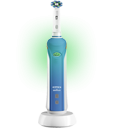
Toothbrush Icons (Oral-B)
By Kage
ON and OFF icon for Oral-b Toothbrush
OFF - as the image
ON = charging, battery green light
113 downloads
(0 reviews)0 comments
Submitted
-
 (0 reviews)
0 comments
Submitted
-
 (0 reviews)
0 comments
Submitted
-
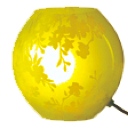
KNUBBIG Table lamp from IKEA
By Guest
Icon pack for a dimmable light in IKEA Knubbig lamp
http://www.ikea.com/ca/en/catalog/products/40222339/
48 downloads
(0 reviews)0 comments
Submitted
-

-
 (0 reviews)
0 comments
Submitted
-
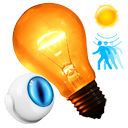
Very Smart Lights Scene Icons
By Sankotronic
Here are two versions if icon for my "Very Smart Lights"™ scene that I can be downloaded here:
a) b)
Which one you like more?
If you have any suitable icons for this scene please post it here. Thank you!
Short description of the "Very Smart Lights"™ scene:
LIGHT DEVICES THAT CAN BE CONTROLLED
Tested and can control any number and any combination of this types of light control devices:
1) Philips HUE virtual device
2) Philips HUE plugin
3) FIBARO Dimmer 2
4) FIBARO single/double switch
5) FIBARO RGBW module including programs, color RGB/RGBW and white only
6) FIBARO smart plug
Not tested but can possibly control devices from other manufacturers.
For FIBARO RGBW module you can define seven different programs for each day of the week and time of day when you want program to be run.
LIGHT BRIGHTNESS AND DURATION CONTROL
Light brightness and duration can be defined by these conditions:
1) Holiday time
2) Cinema time
3) Indoor lights time
4) Guests time
5) Sleep/Awake
6) Time of day
All this states can be fully configured or just switched off and use only Time of day condition.
IMPORTANT: It is also possible to define so that in the evening (from sunset until sleep time) lights are only dimmed and not completely switched off.
EXTRA DEVICE AND/OR GLOBAL VARIABLE CONDITION CHECK
Extra device value or/and power consumption and global variable check gives you ability to disable switching off lights for as long as status of device and/or global variable meets defined value. For example:
1) If working table smart plug consumption is greater than 10W then keep lights on
2) if bathroom door is closed then keep lights on
4) if TV is on can be checked by global variable status or smart plug then keep lights in living room on and dimmed.
5) if outside is day but overcast and/or raining then set global variable and keep lights in kitchen always on
EXTRA TIMERS
User can define extra timer that will keep lights on for predefined time. For example you can keep light on for defined time eg. 1 hour after alarm clock wakes you up. Control is done by using alarm clock global variable setting.
TIMER TO TURN ON ANY DEVICE/SCENE/CHANGE VALUE TO GLOBAL VARIABLE AFTER PREDEFINED TIME
Scene has timer that can start up any number of devices and/or scenes and/or change global variables value if it is running longer than predefined time. For example if you stay longer in bathroom so scene is running longer than 5 minutes then it can start up extraction fan and also start scene that will stop fan after predefined time and also after 10 minutes in bathroom change global variable value which will in return send push notification to your loved one that you are currently really busy
SCENE IS CONTROLLED BY ANY NUMBER OF MOTION, LIGHT AND DOOR/WINDOW SENSORS
- With this scene lights can be controlled by any number of motion sensors, light sensors, door/window sensors and global variable MimicLights that will control lighting while you are away from home on holidays (this part with mimicking lights is still in development).
- Light level (lux) is calculated if used more than one light sensor.
- If lights are turned On but lux level reaches turning Off threshold then lights will turn off no matter what other condition keeps them on (motion, extra devices or globals, extra timers).
And just to conclude this short description, scene is completely configurable by user and since there are so many things that can be configured it will be accompanied by nice extensive user guide which I still have to write.
402 downloads
(0 reviews)0 comments
Updated
-
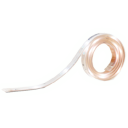
Philips HUE LED Strip
By Sankotronic
Here is my version of Philips HUE strip icons:
turned off:
turned on:
I hope is ok. Cheers!
156 downloads
(0 reviews)0 comments
Submitted
-
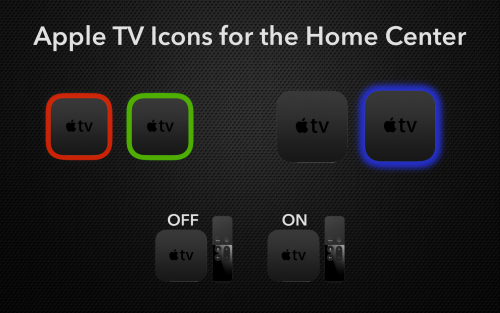
Apple TV Icons
By I.Srodka
Apple TV Icons (on and off) for your Wall Plugs and Switches.
Three sets. If you would like a different set, let me know.
262 downloads
(0 reviews)0 comments
Submitted
-
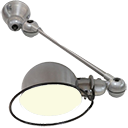
Vintage Jieldé Lamps Icons
By TRicky
For those who also own these beautiful, vintage lamps from Jieldé.
113 downloads
-
 (0 reviews)
0 comments
Submitted
-
 (0 reviews)
0 comments
Submitted
-
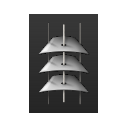
Venezian Blinds (0%,50%,100%)
By frankgeisler
As an interim solution I have created three venezian blind icons out of the original Fibaro slider.
They show closed (zu), 50% open and open (auf) - not perfect so maybe somebody can enhance or create better ones?
To have a better recognition I would love to see all icons from the side (such as the 50% one): one closed, one 50% and one open. Actually my 50% one should be the one which shows 100% open...
116 downloads
(0 reviews)0 comments
Submitted
-
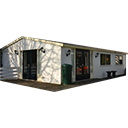
House and Windows Icons
By TRicky
What I mostly do is taking a picture of the device / room and turn them into an icon.
Just added some examples all based on photo's items in around my home.
442 downloads
(0 reviews)0 comments
Submitted
-
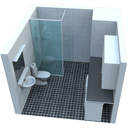
Room Icons made in Google Sketchup
By Guest Rating
I made my own in Google Sketchup. Copy of my home.
724 downloads
-
 (0 reviews)
0 comments
Submitted
-
 (0 reviews)
0 comments
Submitted
-
 (0 reviews)
0 comments
Submitted
-
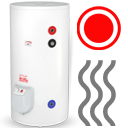
Boiler, Furnace, Solar, Home
By pepko
Hello, everyone,
I would like to share my own icons that I made. For a start, boiler and furnace.
boiler off
boiler on
furnace off
furnace on
solar on
solar off
Main scene FTBE
858 downloads
(0 reviews)0 comments
Submitted
-
 (0 reviews)
0 comments
Updated
-
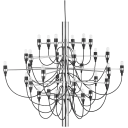
Sarfatti Chandelier 2097 Icons
By perjar
Hi,
Sharing some dimmable icons for the Sarfatti chandelier.
198 downloads
(0 reviews)0 comments
Submitted
-
Download Statistics
-
New reviews
-
 By Bornheim · PostedI integrated two HUE bridges in my HC3. It works perfect (and much better and more powerful then the app integrated in HC3). In particular, also sensors, temperature measures etc. are available and can be used in Scenes. However, in both cases after installing and entering the IP adress of my HUEs I had to restart the HC3 to get the authentification running. So I assume to install one has to (i) upload / install the QuickApp, (ii) enter the IP address of the HUE in the local LAN, (iii) rest
 -

-

-

-
 By Sankotronic · PostedVery useful solution to help with gradually moving from HC2 to HC3. I have tested few of the QA and used them to test some of my new solutions on HC3 keeping HC2 still having main controll of our house. Thank you @cag014 for yet another excellent solution!
 -

-

-

-
 By SmartHomeEddy · PostedGreat QuickApp and excellent configuration manual. QuickApp works smooth. Thanks!
 -

-
-
Highest Rated Submitters
No ratings this week.
No ratings this month.
No ratings this year.
-
1

-
2

-
3

-
4
-
5

-