Jump to content

Welcome to Smart Home Forum by FIBARO

Dear Guest,


as you can notice parts of Smart Home Forum by FIBARO is not available for you. You have to register in order to view all content and post in our community. Don't worry! Registration is a simple free process that requires minimal information for you to sign up. Become a part of of Smart Home Forum by FIBARO by creating an account.


As a member you can:

  •     Start new topics and reply to others
  •     Follow topics and users to get email updates
  •     Get your own profile page and make new friends
  •     Send personal messages
  •     ... and learn a lot about our system!


Regards,

Smart Home Forum by FIBARO Team


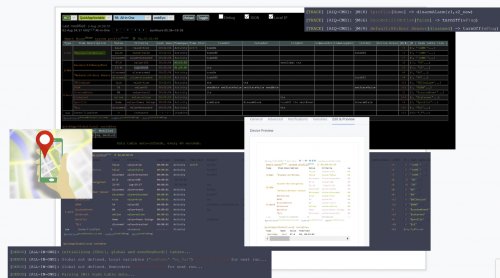
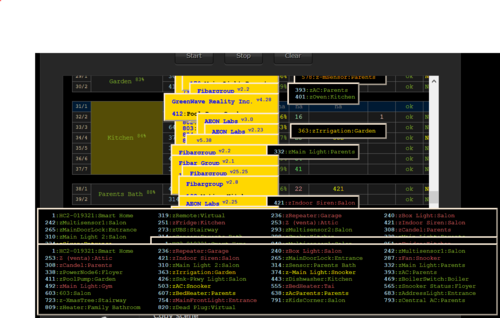
3 Screenshots

About This File

Purpose

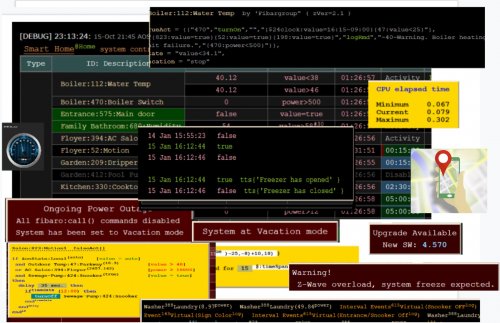
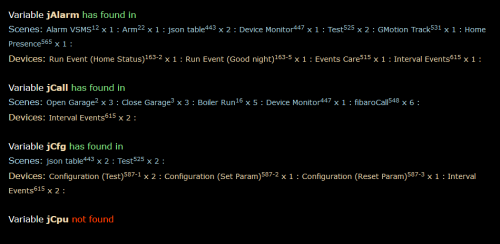
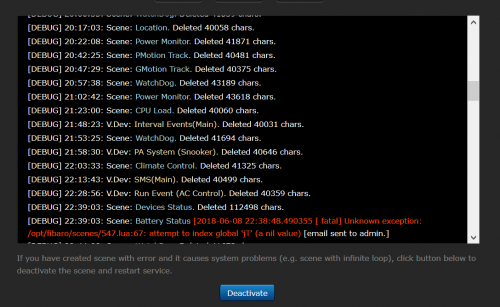
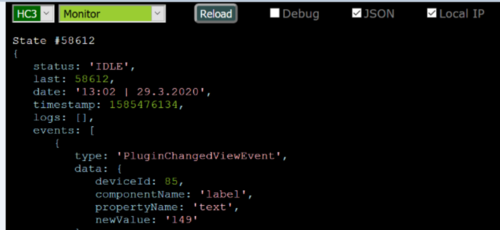
HC-WebEye is designed to enhance debugging for Fibaro smart home controllers (HC2 and HC3), especially when dealing with scenes that output HTML-formatted debug data.

Since HC3 no longer supports HTML in its debugger, this tool provides a full-screen alternative for better visibility and interaction.

5.23.1🔧 Key Features

Feature

HC2 Support

HC3 Support

Notes

Display scene debug info

HC3 filters by tags/levels

Start scene


VD debug info & button press


Global variable display


QApp debug info

Clears HC3 debugger window

QApp variable display


QApp toggle & button press

Toggle switches ON/OFF

5.23.2🌐 Browser Compatibility

  • Works with Firefox, Chrome, and Edge browsers

  • Requires CORS to be disabled (a separate script is provided for that)

  • Login Prompt You'll be asked to log in on first use. Credentials are not stored for security.

  • Interface Flow

    • Select controller (HC2 or HC3)

    • Choose item type (Scene, VD, Variable, QuickApp)

    • Pick specific item from list

    • Press Reload to fetch debug info

    • Optional: Check "debug" to view API commands

🧪 Interaction Examples

  • Scene selected → “Start” button appears

  • VD selected (HC2 only) → Button list + “Press” button

  • QuickApp selected (HC3 only) → Button list + “Press” and “Toggle” buttons

  • Variable selected → Current value displayed

If you're planning to use this with advanced scenes like the All-in-One Scene /QA or Z-wave monitor, this tool is practically essential for visibility and control.

Edited by cag014


What's New in Version 4.0   See changelog

Released

🆕 Update: Multi‑Hub Support & Easier Editing

New Features

  • Edge Browser Option Added
    Script now runs smoothly on Microsoft Edge with full compatibility.
  • Multiple Hubs Support
    You can now define any number of hubs in the configuration. No need to modify the logic — just add them to the list.
  • Simplified Hub Editor
    At the beginning of the file, a clean configuration block lets you add or remove hubs quickly.
    Example:


// ============= USER CONFIGURABLE PARAMETERS =============

const controllers = [

  {label: "HC2",

    hubType: "HC2",

    local: "http://198.0.0.69",

    remote: "https://home.fibaro.com/newProxyLite?XXX&req=" },


  {label: "hc3-home",

    hubType: "HC3",

    local: "http://198.0.1.11",

    remote: "https://home.fibaro.com/newPro },

];


// ============= DO NOT CHNAGE CODE BELOW =============

  • Like 2


User Feedback

Recommended Comments

AR27690

Posted

What about  Safari browser on Mac book?

Guest cag014

Posted

Working on that.... Need to borrow MAC from my wife... not an easy task.

Guest cag014

Posted

Don't know if it works, but have found tip how to disable CORS on Sfafri:

Later versions of Safari allow you to Disable Cross-Origin Restrictions. Just enable the developer menu from Preferences >> Advanced, and select "Disable Cross-Origin Restrictions" from the develop menu.

No idea if it works...

Is anyone has knowledge how to do it, please share with forum.

Thanks

Guest Sankotronic

Posted

Hi @cag014 ,


I have done as you instructed on my iMac Safari v13.0.1 and I can report that it works.


Since I have already enabled Develop menu I just disable Cross-Origin restrictions, then I edited your html document by entering HC2 and HC3 IP address. After loading script to Safari I had to select V device and back Scene to get selection of scene and then Safari asked me to login to HC2. The rest is working nicely.


Thank you again for the great tool! ?

  • Thanks 1
Guest cag014

Posted (edited)

Thank you for approving that it works on iMAC Safari.

Yeah, I saw this behavior on Firefox as well. The browser remembers the last selection, but the code works onChange() action. This requires to choose something else and then go back.

Will fix it on next release.

Thank again

Edited by cag014
Bodyart

Posted

Hi @cag014,

running here on Firefox Windows 10.

After installing CORS Everywhere, the code runs on HC2, but on HC3 i still get  (Cross-Origin Request Blocked) error.

Guest cag014

Posted (edited)

Interesting... I'm trying to simulate somehow this error, without success

Could you please open "web developer"  and post network and console screens?

What Firefox version you're using?


Edited by cag014
Guest cag014

Posted (edited)

@Bodyart

Did you set correctly HC3 protocol in code? It should match your setup in HC3->network.

https or http

In code

Spoiler

Capture.PNG.8ca1cf11bae0b90bddc80beff0c3cd8c.PNG

In controller

Spoiler

Capture.PNG.bc41a8f53e390cc653448a7f0da03fe6.PNG


Edited by cag014
Bodyart

Posted (edited)

It's: Firefox 74.0 (64-bits)

checking the setting...

afbeelding.png.b8050af0d4bb94c55c1a22dc3eb608aa.png

Edited by Bodyart
Guest cag014

Posted

Oops.. 74 is a new release... there is a new security policy.. are you sure HC2 works?

Bodyart

Posted

Also HC2 doesn't work anymore. Firefox was updated few minutes ago...

Guest cag014

Posted (edited)

Firefox (74.xx) has blocked http request while running on local files "file:///"...

No workaround have found... yet. I exchange few emails with Cors anywhere developer and looks like it part of browser design and couldn't be disabled.

Three options:

1. Use Chrome (as recommended)

2. Use IE (as recommended)

3. If you can somehow to run the file from local server. In my case I use router as as file server  (https://cag014.asus.com.com/RT-AC87U/MediaHD/hcWebEye.html).  My file located on hard-disk which connected to the router.


Many users have submitted tickets to disable this option, hope next Firefox release will have this option.

Let me know if you'll find a workaround for that?

Edited by cag014
Bodyart

Posted

That third option seems interesting, will try :-)


Guest cag014

Posted

New Firefox release (75.0) works from local file, so no server required.

Hope they will continue to support this in the future

Join the conversation

You can post now and register later. If you have an account, sign in now to post with your account.

Guest
Add a comment...

×   Pasted as rich text.   Paste as plain text instead

  Only 75 emoji are allowed.

×   Your link has been automatically embedded.   Display as a link instead

×   Your previous content has been restored.   Clear editor

×   You cannot paste images directly. Upload or insert images from URL.

×
×
  • Create New...