Welcome to Smart Home Forum by FIBARO
Dear Guest,
as you can notice parts of Smart Home Forum by FIBARO is not available for you. You have to register in order to view all content and post in our community. Don't worry! Registration is a simple free process that requires minimal information for you to sign up. Become a part of of Smart Home Forum by FIBARO by creating an account.
As a member you can:
- Start new topics and reply to others
- Follow topics and users to get email updates
- Get your own profile page and make new friends
- Send personal messages
- ... and learn a lot about our system!
Regards,
Smart Home Forum by FIBARO Team
Search the Community
Showing results for tags 'recovery'.
Found 23 results
-
I initiated an update of the HCL via the App a few days ago. After that the contact was lost. I have tried all recovery options I have found with no luck. I opened up the HCL and discovered the AM3354 module inside. I then found the console port (3pins: 0V, Rx and Tx. 3.3V level signals) and see that it is stuck in U-Boot: U-Boot 2011.09-00010-g16f5006-dirty (Dec 18 2013 - 20:28:15) I2C: ready DRAM: 128 MiB WARNING: Caches not enabled No daughter card present Did not find a recognized configuration, assuming General purpose EVM in Profile 0 with Daughter board NAND: HW ECC Hamming Code selected 256 MiB MMC: OMAP SD/MMC: 0, OMAP SD/MMC: 1 Error: Bad compare! failed Error: Bad compare! failed Error: Bad compare! failed Error: Bad compare! failed Error: Bad compare! failed Error: Bad compare! failed Error: Bad compare! failed Error: Bad compare! failed Error: Bad compare! failed Error: Bad compare! failed Error: Bad compare! failed Error: Bad compare! failed Error: Bad compare! failed NAND read from offset c0000 failed -74 *** Warning - readenv() failed, using default environment Net: cpsw Hit any key to stop autoboot: 0 U-Boot# help U-Boot# printenv U-Boot# It stops in U-Boot as there are some memory failure, but it does not respond to any known command. It reboots every 8th minute. The LEDs are flashing as in recovery mode, but HCL is not visible on the net and and it does do not respond on 192.168.81.1 when PC is connected directly. I find that a bit strange. Is U-Boot really holding the recovery web server? If command interface had worked, it could maybe be possible to restore the on board flash using TFTP.
-
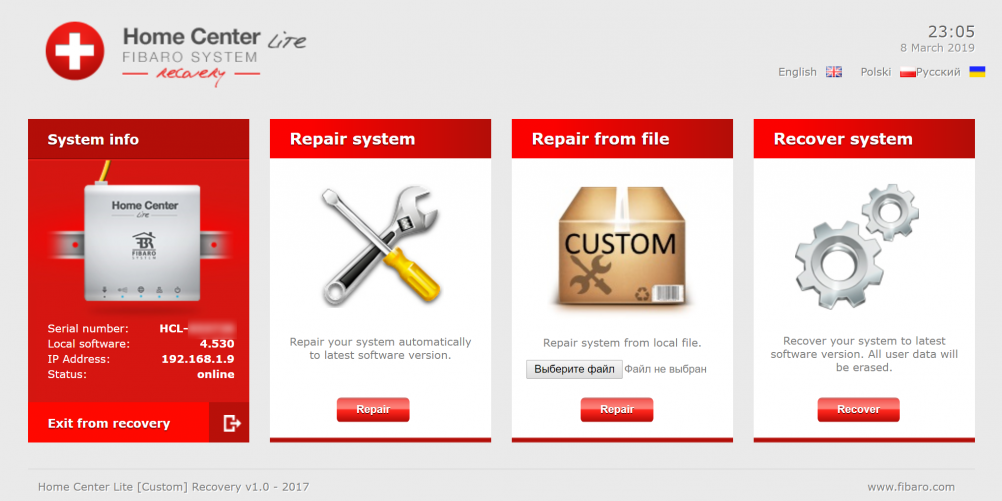
Hi, here is the guide how to flash custom recovery image for the HCL 4.140-4.150 Custom recovery allows to flash unsigned firmware in your HCL. This way we can add some new features or fix annoying bugs fast. First of all, I want to say, the solution is 2 years old already. The security issue allows to execute any code on the HCL side. I have reported to Fibaro support about the vulnerability allowing to have complete contol of HCL device, but they answered its user's problem We need to get root access in order to flash custom recovery, but HCL's ssh server disabled password login. So we will use the root exploit to restart ssh daemon with user:password login. Then we can use ssh to complete the process. Rooting Reboot the HCL before any manipulations, because low free RAM may prevent running the ssh daemon after killing. We will use the Python 3 for exploit, but you can prepare the request with any convenient way. Edit hcl_4140_root.py script with your credentials and run it. Writing recovery image Use any ssh client (like putty) to login yout HCL using username root and password hc2 Copy the custom recovery image hcl_cr_v10.img to /tmp folder using ssh then run: Done! Now you can reboot recovery and enjoy the unsigned flashing. All manipulations is at your own risk. hcl_4140_root.py hcl_cr_v10.img
-
Witam, wczoraj nie mogłem się w żaden sposób dostać do centrali Yubii choć wszystkie sceny działały poprawnie a samą centrale widziałem w sieci domowej. Skorzystałem z opcji RECOVERY. Niestety teraz żaden silnik NICE nie odpowiada. Próbowałem wgrywać rózne backupy i nic. czy ktoś ma jakiś pomysł co tu sie na rozrabiało i jak to rozwiązać?
-
I am having an issue with my HC3 and it is basically useless at the moment. After a reboot on the weekend it went into recovery mode. I have a ticket in with Fibaro suppot, but bot had any communication from them for a couple of days. I thought I would post here hoping someone may be aboe to help. I will post what I have sent to Fibaro hopefully someone can give me some usefull advice.
-

[INFO] HC2 Recovery and Backup/Restore - 4.180 back
AutoFrank posted a topic in FIBARO System Update
Hi This post started off because I had an issue with my HC2 and I had to do a recovery. There was a lot of great suggestions from many people including @Sankotronic, @RH_Dreambox, @Jamie mccrostie, @jimicr, @tinman, @petergebruers, @Bodyart, @Rafael Suarez, @DAWO so I decided to turn it into a [INFO] Recovery and Backup/Restore type post. If I have any part wrong or misleading please let me know and I'll edit . This is not an absolute guide and not meant to be solution but more of a structured way to document what worked for me and what was shared as I worked through the process. I've pulled it all into the first post should some of it be useful to other forum users. **Trying any of this should be your judgement call when you weigh up your specific situation and risks** Some general comments that I found helpful HC2 will power on without the recovery stick in the USB slot. The HC2 runs perfect, but you can't make or restore backups. The boot process runs from an internal drive. HC2 RECOVERY boots from stick and that's where your backups are. Z-wave led (4th from left) shold flicker and is rarely solidly 'on' IDs are unlimited. Number of physical devices (with a Z-Wave chip) talking to each other in one network is 232 (if you need more, you need extra controllers). But scene IDs and device IDs are unlimited. As of 4.120 all custom icons after a recovery will NOT show in the Web UI but show okay on Android Phone, Andoid Tablet and iOS iPad. In case restore was necessary to fix zwave / modules not configured and / or other zwave related things (which might happend e.g. after firmware update) then definitely do "yes" to purge zwave database. After restore, all modules will get anyway recognized. you might do run soft reconfiguration to get latest templates Sometimes it takes a while after entering recovery for HC IP to connect, @Jamie mccrostie had to wait 5 to 10 minutes until it would reconnect. Up to that it just said something like "device unavailable" with a white browser screen even though all three leds on the front panel are back up Try and not have too many backups - The unofficial advice from Fibaro Support was to only keep between 4 and 6 backup versions. I had 50 backups at one stage consuming 74% of storage and I started to see performance issues. After recovery, please go to each device's "Advanced" page and click on "Read configuration", then, after a few seconds, refresh the page. Start with mains powered devices. What happened, during recovery, is this: some devices have been reconfigured (and parameters get default values). Then, the database was restored. Now, the contents of the database and the parameters stored on the device are no longer in sync. If you still have one device that doesn't act as expected, please try it. After "Read configuration" you'll see that the (refreshed) parameters page explains/matches its behavior HC2 IP address FYI a HC2 can have several possible IP: The DHCP assigned address used last time. A new DHCP address. The static IP you assigned. The static IP 192.168.81.1 = "recovery IP". This happens if you hold the "Learn Mode Button" too long (I think > 2 seconds). To recover from this situation, you have to give your PC the address 192.168.81.2 netmask 255.255.0.0 and browse to 192.168.81.1. Then you can put back the original IP or set the unit to DHCP. The Fibaro Finder doesn't find all possible IPs Backup seemed to go on a bit longer than expected. power down HC2 using power button - I didn't pull out the plug but the next time I would (after I had completed an orderly shutdown using the button) I would then power back up and see if the UI came available. If not then you may need to take the recovery route (Which is what I had to do) Recovery and Restore steps I found worked for me Power down system using power button, unplug HC2 briefly) hold recovery button (button next to power button) press power button (and keep holding recovery button) When the first led on front of HC2 ( on the right side ) stays on solid release the recovery button back to browser - clear cache, wait about 20 seconds for recovery mode to activate open up UI at IP address (if usual IP address doesn't work search for HC2 using Fing or something similar) Recovery screen will be displayed Select Recovery (first box on left) Reset Zwave - Click no if you want to keep your devices and restore on top of that - Click Yes if you want to clear everything. All devices will be added back in if you have a good backup available Let recovery complete and it will reboot Close browser and clear cache and open browser at IP address If IP address has changed use Fing again to find My HC recovered to 4.036 (which is pre wizard and email logins) Open browser and login using admin/admin All your devices wont be there but ignore that for now Select upgrade to 4.120 (which is the latest fw for me when this happended) Allow the upgrade to complete close browser and clear cache try and login using admin/admin but if this doesn't work you could try the wizard. Reopen browser and you may find your email login doesn't work (if you try and generate a new password - this wont work either as your email wont be recognised) Activate the wizard (not sure how I did this) Complete the required steps (email, password and confirmation code sent to email) Log into Web UI using email and password just created during wizard The system is now at 4.120 but doesn't have your setup Now go to the backups/restore section in the UI and select a backup to restore (I selected the second last one mainly because I had a suspicion that something went won't with my last backup) let this restore complete close browser, clear cache and log in All should be okay, give the system the once over depending on how old your last backup was you may need to reinstate the changes you made between the backup you restored and now I had two issues at this stage but just minor 1) All my custom icons were missing (this was expected) 2) Some of my fibaro dimmers (dimmer 1) had parameter 14 (switch type) a bit messed up and I had to fix. Another post about a Factory Reset -
I just tried updating my HC2 to the latest release firmware. After an hour, I realized it was looping from verifying image, writing image and back again. I tried the recovery procedure. The recovery and power leds are on. But it is still doing loop the loop. I tried this 3 times. Is there anything I can do to recover ?
-
Hi, I have an issue on my HC2 box, I cannot create backups anymore. My drive shows disconnected and a checksum is not completing. Also after a reboot all lights go on and after approximately one hour it runs like normal. So rebooting the box is taking multiple hours to complete I am running on 4.100 and would like to upgrade due to a message on a few websites stating that there is a security breach in previous versions. Creating a backup triggers a new screen, flickers a brief moment and finishes without generating a backup image. I have contacted fibaro and they did check the HC2 remotely but they are not able to fix the issues. I need to ship the box to Poland! I read a few topics about the RMA because of faulty/corrupted recovery modules. Is there a local alternative ? Anybody who can share some experiences on the shipping to Poland ? To be honest, I cannot unplug the box since all my home lighting/cams/heating are managed via the HC2. This really makes me doubt about whether I should continue on a Fibaro setup..
-
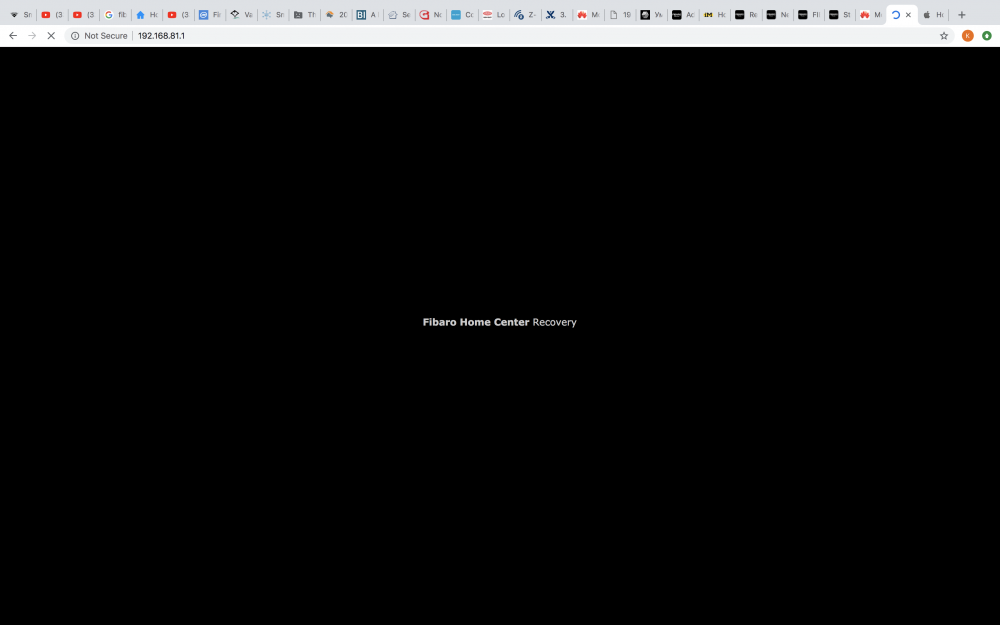
Good day, Is anybody facing the same problem like me? I will appreciate if you have any suggestion on this topic. I am trying to recover my HC2, but always I reach the following stage: black screen with text "Fibaro Home Center Recovery" and nothing else that I can do.... My IP is set by default to 192.168.81.1
-
Hello, I have a Fibaro Lite and I can not do a reset of the unit. I have followed the manual but the recovery mode does not appear. It only says "Starting services" I haved it of power for for 24 hours and more and It have said "Starting services" for 3 weeks. There have to be a limit of how slow the product can be. Is there a hard reset that do not have to go via recovery? I do not need to save any data. Regards, Bjørn Madsen
-
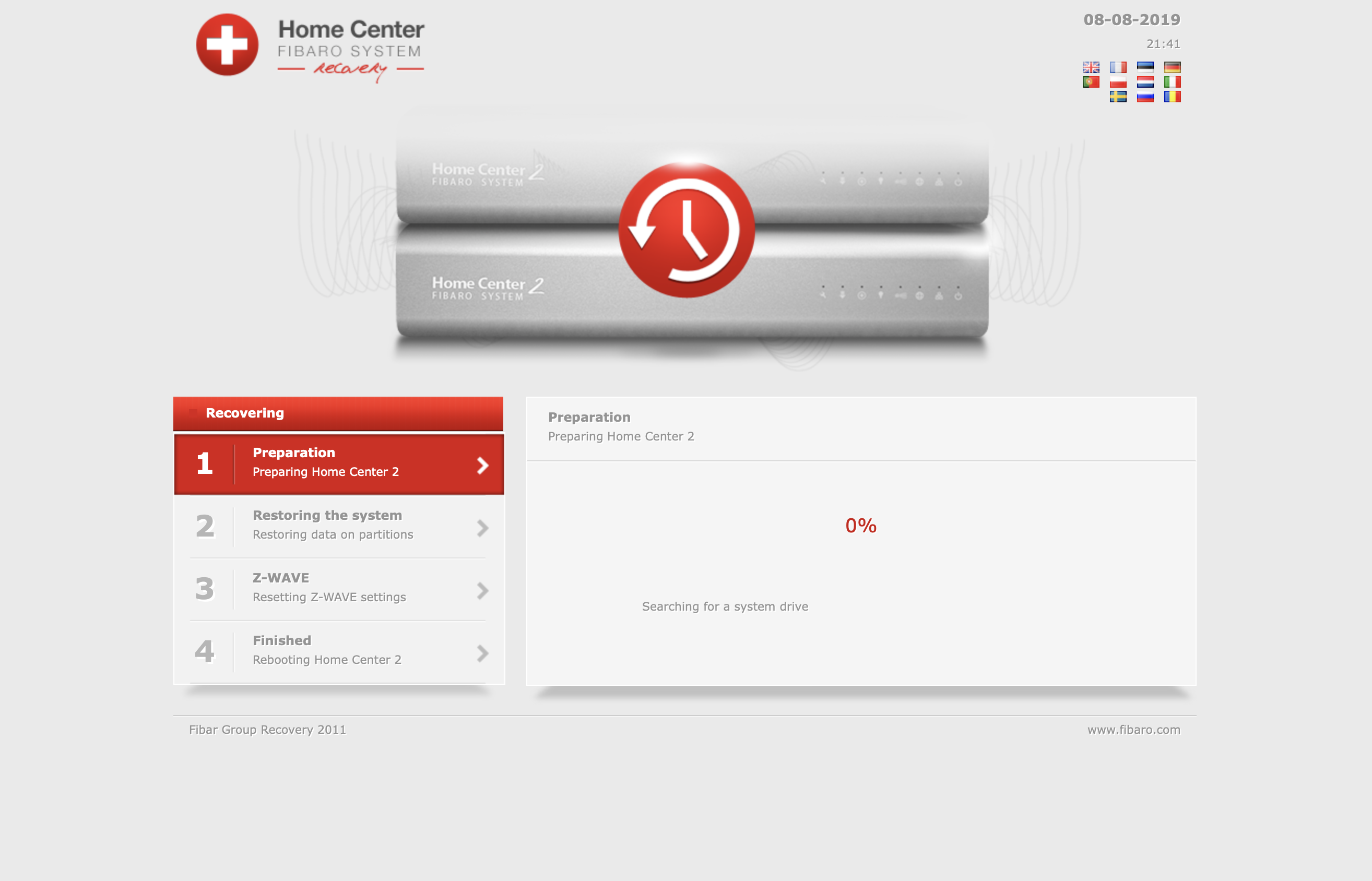
Hi, I just got a HC2 today and started playing with it. It came with version 4.056 installed and it said it wanted to update to version 4.180. So I started the update but when it finished I couldn't login to the device. Trying to access the web page gave either the spinning balls or the "Testing 123" welcome to CentOS Apache default web page. So I tried doing a recovery. It booted up in recovery mode but when doing the recovery it seems to be stuck on step 1 "Preparation" with the message "Searching for a system drive". Nothing else is happening. What can I do? Since I just bought the device there's nothing on it that needs to be saved. /Mats

-
Hello! We recived a broken HC2 at the office. Reporting that an end-user can`t connect to the HC2. Can`t find the HC2 with Fibaro finder nor using Advanced IP Scanner (looking for a mac adress) I have tried using the backup IP adress: 192.168.81.1, adjustig my computer to 192.186.81.x. Still cant find it with Fibaro Finder / Advanced IP Scanner. Tried regular boot multiple times with and without Recovery Stick plugged in. When I did regular boot. ONLY the power LED was lit up. And yes, I know the ethernet port I used has a direct connection to my computer. (As i use it on a daily basis.) Any suggestions on this? Is there some sort of "Quick fix"? Or do Fibaro need to take a look at this. Thanks! Best regards Hans
-
Witam Po próbie przeprowadzenia przywrócenia ustawień fabrycznych centrala nie przechodzi do okna logowania się, ciągle kręci się koło ładowania. Tryb przywracania lub restartu dochodzi do 100% ale nie przechodzi do okna aktualizacji mimo długiego oczekiwania. Miał ktoś podobny problem. Z góry dzięki za pomoc.
-
Hi Knowledgeable folks, I have bought Home Center 2 a while back while we were extending the house and it has been in the box for a while. Yesterday, I started it and it all worked fine. I reset the admin password added my email and then it asked me to upgrade to latest version of the software. Since then, the spanner light has been blinking continously. I tried to invoke recovery procedure and found that once I remove the power and reconnect (while holding the +button), the LED starts blinking left to right and then after 3/4 times it stops. I then have to switch the console on using the power button at the back (while pressing the +button), and then it starts again with led blinking from left to right. I have left the system going overnight but with no joy. I have also tried connecting the console to a screen using VGA, but even that's not working. The screen doesn't receive any signal from the console. Being end of friday and now weekend, I wouldn't get any FIbaro support. Any advise will be highly appreciated. Thanks,
-
Po epizodzie z wersją 4.140 oraz 4.141 Beta muszę powrócić do wersji 3.600 (uciążliwe jest restartowanie całego systemu raz na dobę, maksymalnie raz na dwie doby). Po recovery jest wersja 3.548, ostatni backup mam z wersji 3.600. W jaki sposób mogę powrócić do wersji 3.600? Przy próbie wymuszenia aktualizacji występuje błąd nr 5. Przy próbie wgrania backupu z wersji 3.600 nie idzie się zalogować hasłem domyślnym ani innym tworzonym podczas użytkowania HC2.
-
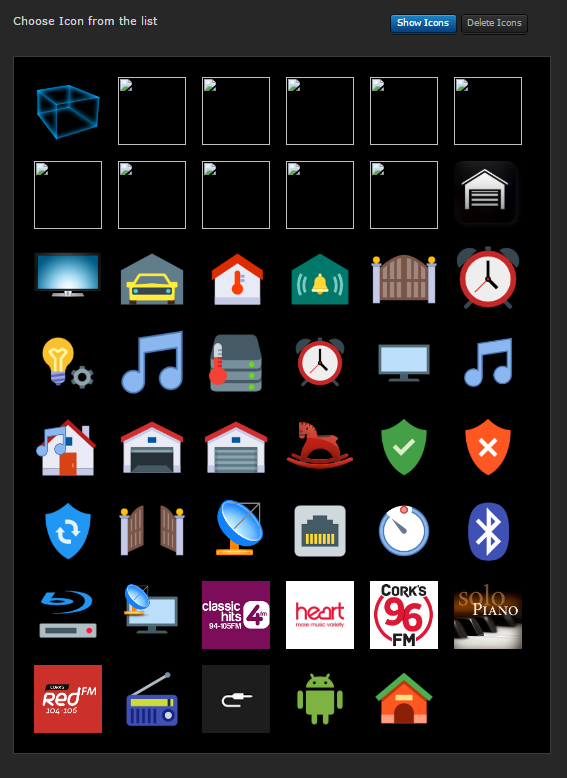
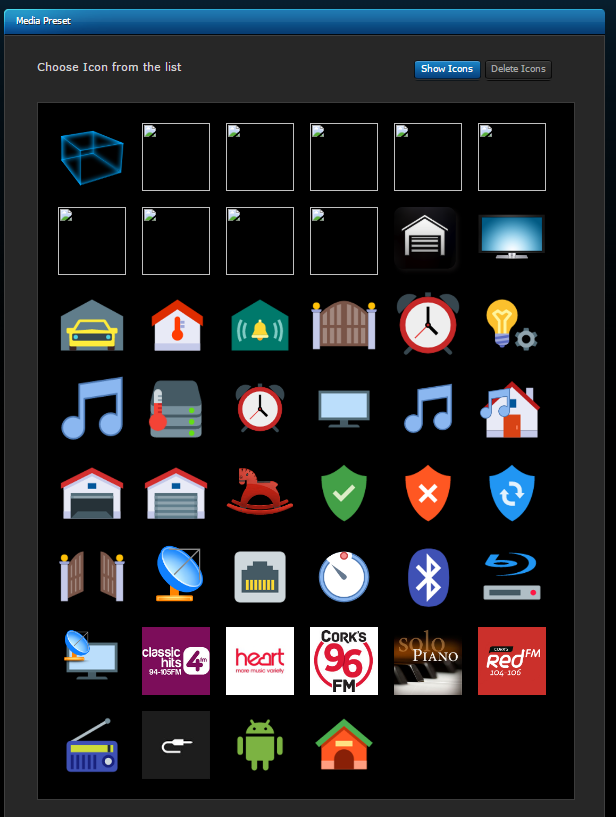
Hi As most people know the custom icons get 'broken' after a recovery I experienced this a few weeks ago and I went to clean up my system today and noticed an odd behaviour. As you can see below the broken icons are below Note - There are 10 that need to be deleted Clicking delete.. and the number broken is 3 Deleting one of the broken icons gives the following... Note - There are now 9 broken icons Can anybody else replicate this HC2 running 4.120, windows 7 machine, Chrome browser thanks -f


-
Hi, I rebooted my HC2 this morning and it failed to start correctly afterwards. Only the right 3 led's were lighting. I completed the recover process (power off, press learn button & hold, power on, release learn button) It went through the recover process and rebooted. The right most three leds are working again The z-wave light is flashing and now the "download available" light is flashing - (I was on 4.11 but assume it has recovered a previous version) I can't still access the HC2 web interface (about 20 mins since recovery) or do I need to wait longer ? Is there anything else I can try besides trying the recovery process over and over again Thanks -frank
-
After a failed firmware update, my HC2 won't start in normal mode, it's stuck on a start screen saying -starting services- .. for hours and days.. Recovery failed also, the connected VGA displays numeros read-errors from usb.. So.. I wonder... If I had a backup of that usb-key, the problem might have been solved..? But that usb-key is said to be delicate.. don't remove and make no changes. Would setting it into a windows pc and clone it, do any harm?? So I might need to buy a new HC2
-
I am new to Fibaro and need some urgent advice. We have two power outages in the last few months since we purchased the Fibaro HC2. After the first time I learnt a valuable lesson re backups so I had to go through the whole process to reset and reinstall. When the second power outage occurred I was not too concerned as I knew I had an up to date backup. I followed the correct procedure to start the recovery process (clicking NO to the option to remove z-wave devices) but after doing this all the devices and rooms etc. are gone. I then thought that I had to reinstate the backup so I went to the backup section of the admin and selected the up to date backup. This process just kept going and going for an extremely long time (my setup only has about 12 devices). After about 30mins I refreshed the screen to only be presented with the 503 error screen. I have done this procedure about 6 times and still get the same result. Have emptied the cache from multiple browsers but still no luck. Can somebody tell me if I am going about this the correct way and if not tell me how. Or is the recovery process meant to reinstate from your last back-up. Cheers
-
Restoration of backup! Following a system failure, where Fibaro asked me to return my HC2 I tried to use my old backup to restore to new. (I was lucky as I run my heating system on my HC2 to be able to immediately order a new one). It took me over 8 hours to get my system back to the point it was before the failure. Fibaro said the following: Each USB stick is mapped to the HC2 it is issued with and can not be used in another HC2 Only Fibaro can attempt a restore of a backup from one device to another and I would have to wait the weeks it would take to; send the old unit back, Fibaro to assess, Fibaro to repair or restore. This is not acceptable when people are now using these systems to manage their homes. My questions: Why can't Fibaro allow an option to backup to the "Local" PC Why can't Fibaro allow a local restore of key items: Core configuration; Users, Location, Timezone, Time format, Temperature Setting, Hotel mode, etc. Global Variables Sections and Rooms Panels (All devices would have to be nulled but at least the hours of tweaking to get the right room temperature, for instance, would be recovered) Scenes *** Now I understand that the way Z-Wave works each device has to be re-associated and therefore you could not import scenes directly back in. So how about a scene is restored with an Underscore at the beginning of its name and set to disabled. Allowing the user to re-associate the device and modify the DeviceID in the scene. My recommendation until Fibaro put this KEY functionality into their product. Get a copy of HC2 Toolkit by; Jean-Christophe Vermandé. (Please donate this is a great tool). From the menu settings you can save all your LUA code, Scenes, and a report on your current configuration. Fibaro, please respond!
-
So, I'd forgotten how bad some of the early releases were till I had to recover following a failed 4.101 update a couple of days ago, and I've only just gotten to the farm to get it all operational ! This is the first Beta that I haven't successfully installed in a very long time .. anyways starting back at the archaic 1.038 has got to be some sort of sick joke yeah ? And then waiting .. Seriously is there a way to expedite the "oh look there's an update" .. and "oh good look another" .. series of life wasting moments ? Can we just jump to 4.xx .. please tell me we can, I'm still waiting for 1.038 first upgrade to start as HC2 very slowly finds more devices .. grrr.
-

Inclusion not possible after recovery
Freebird posted a question in Other Devices / Third-party devices
1167 Hi everyone! I had to do a system recovery after HomeCenter2 halted all operation completely (reboots etc. did not help). Now the system has lost knowledge of all moduls in the house. I tried to reset the moduls as explained in the user guide I found online on fibaro pages (e.g. press B-button 14sec). No success. I tried to exclude/include the moduls by pressing B 3x quickly while system is in learning mode. No success. I tried to cut power prior and put it back on prior to trying above steps. No success. What do I have to do to include the moduls (dimmers, roller shutters, relay switches)? They are from 2009 as the previous owner of the house told me (maybe the functions were different than of today's versions?). All the NEW moduls I bought these weeks can be included without problems. So it seems to be a problem with the fact, that the older moduls kind of HAVE a setup/inclusion stored in their memory(?) Any ideas? Thank you so much! Frank -
Witam, proszę o pomoc w przeprowadzeniu recovery HC2. Wyłączam centralę z zasilania, włączam ponownie do zasilania z przyciśniętym przyciskiem Learn Mode i wygląda na to, że coś się dzieje. Diody migają od lewa do prawa a po kilkunastu sekundach świecą wszystkie i tak bez przerwy już 2 godziny. Wcześniej też próbowałem i było to samo. Gdy ponownie odłączę i włączę zasilanie, centrala działa, ale nadal z problemami, przez które chcę właśnie zrobić recovery (brak dostępu lokalnego, brak możliwości zrobienia update'u zdalnie). Co oznacza status świecących wszystkich diod? Mam czekać do rana, czy może coś się zawiesiło? Ile powinno to trwać? Z góry dzięki za pomoc!
-
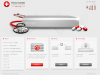
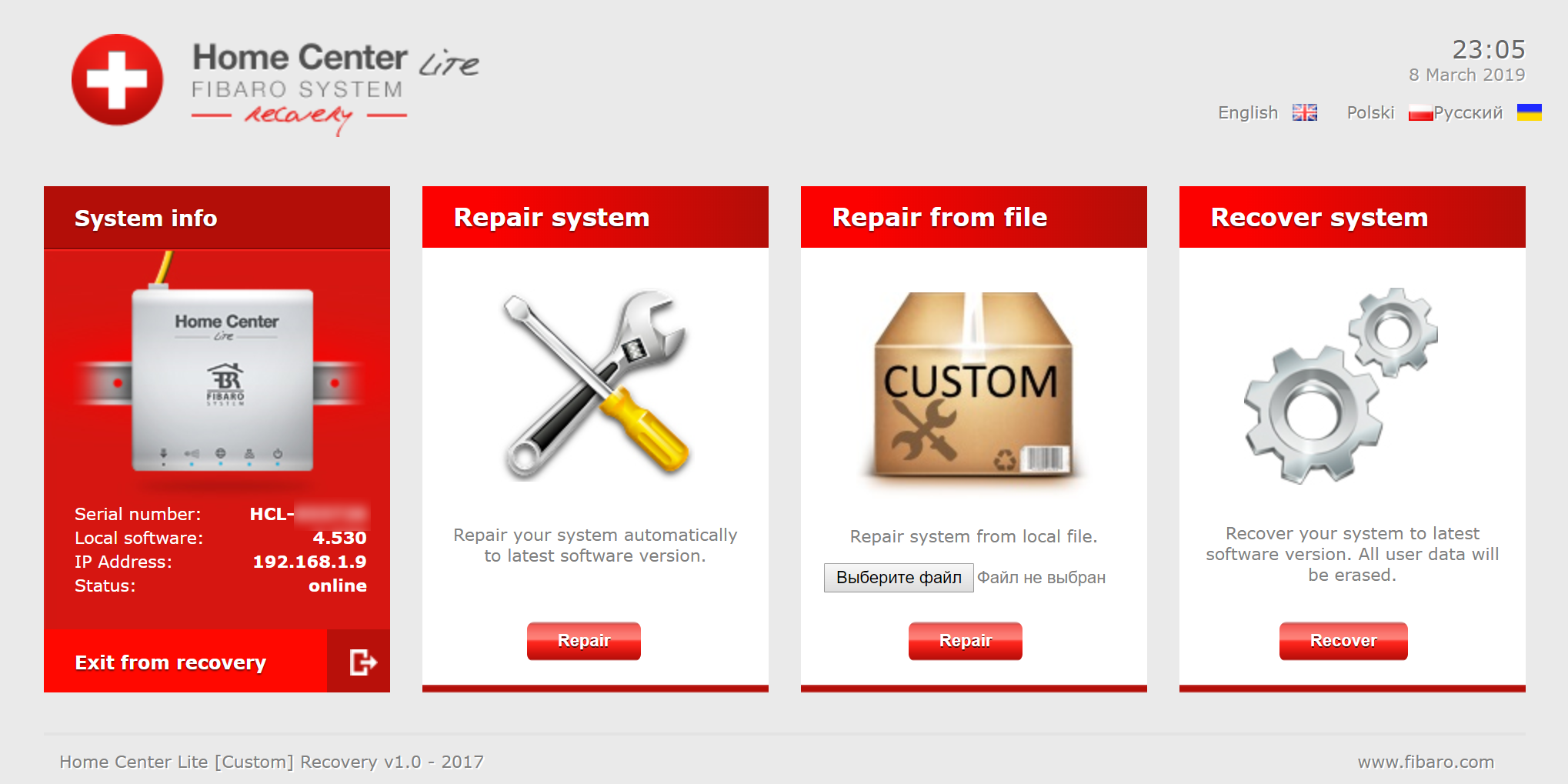
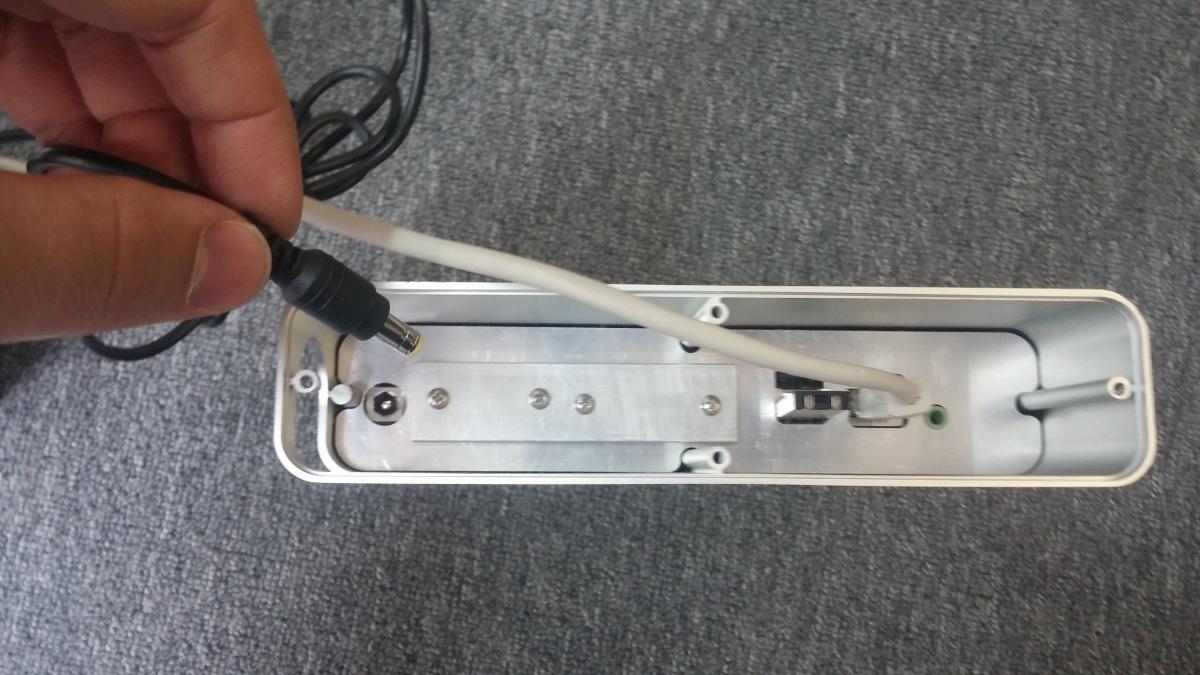
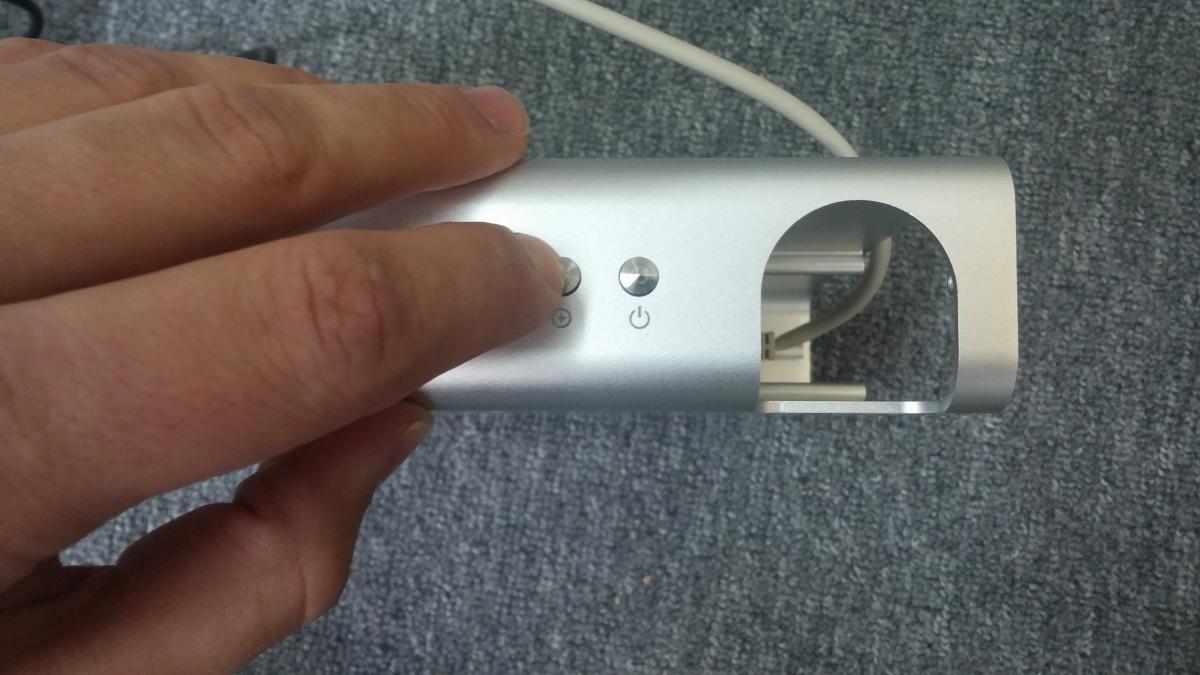
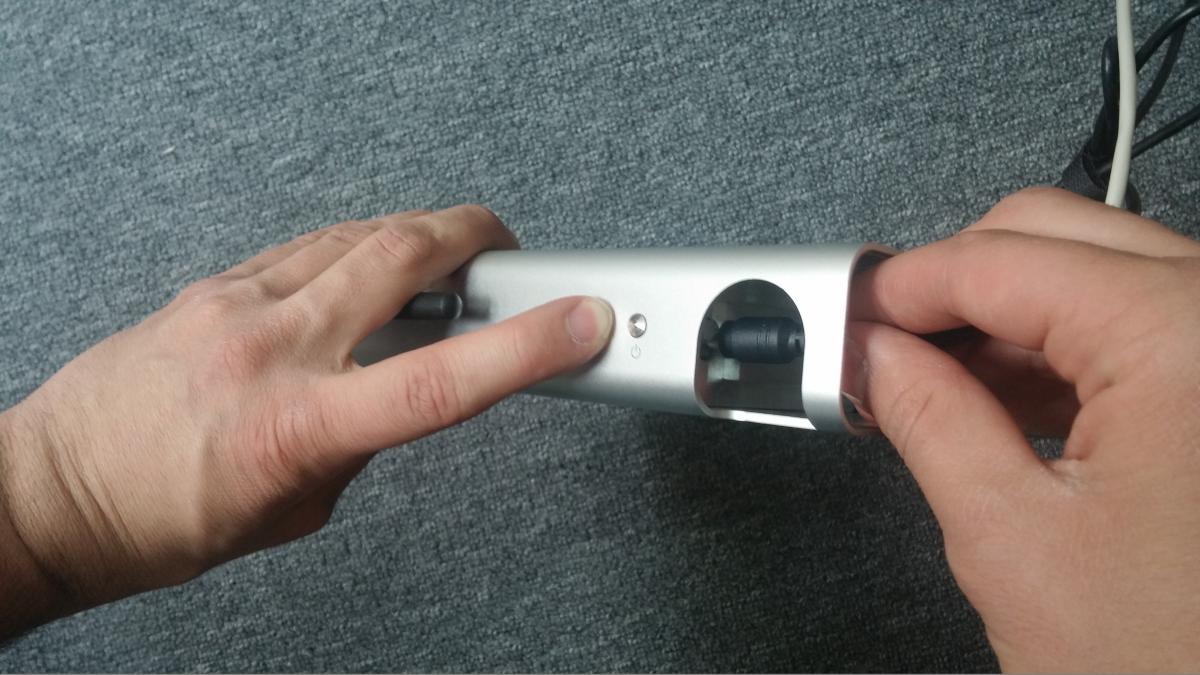
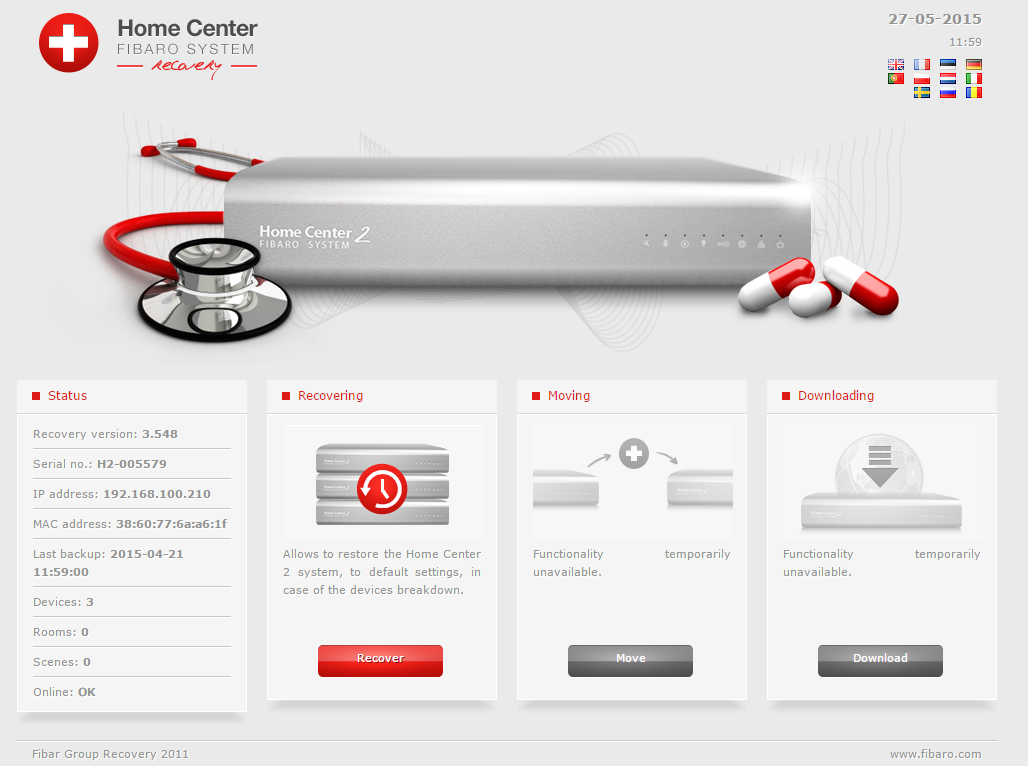
Due to numerous requests I decided to describe the recovery procedure for our controllers. Recovery mode allows you to bring controller to out-of-the box state, with the firmware version it was shipped with to you. There is no way to go back to version older that the one you got device with originally. Entering recovery mode on Home Center 2: 1. Unplug your device from power. 2. Hold down the recovery button (with a little "+" on it ) 3. Plug the device back, still holding the recovery button 4. Release button as soon as diodes start to blink from left to right (opposite direction as usually during boot up), enter device configuration page, it should look like this: Entering recovery mode on Home Center Lite: Procedure is the same as in Home Center 2, only difference is that diodes blink in different manner, but you still need to release recovery button as soon as they start to light up. Holding recovery button for too long may cause controller to enter static IP mode. In that case one can attach it to computer directly with RJ45 connector, adjust his own network settings (IP in the same pool and default gateway 192.168.81.1) and perform recovery this way.